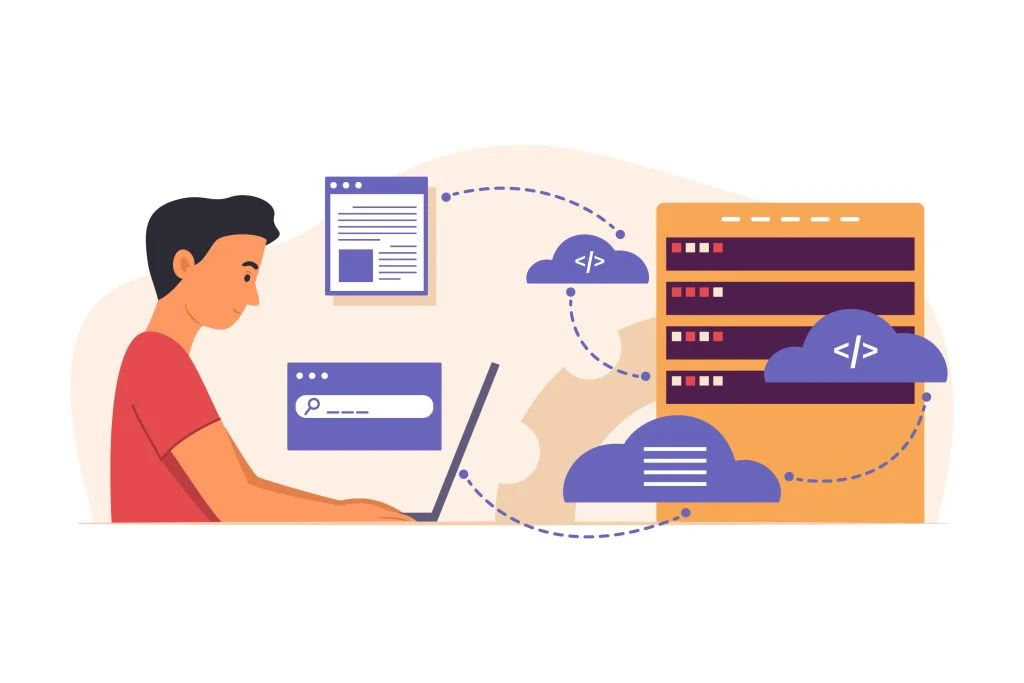
Hosting Docassemble on AWS can give legal teams greater control over infrastructure, security, backups, scaling, and system monitoring. A production-ready setup should include secure networking, encrypted storage, access controls, database backups, logging, domain configuration, SSL, update procedures, and a documented disaster-recovery plan.
Introduction
Let’s paint a picture. It’s Monday morning. Your legal team is drowning in document requests, intake forms are piling up, and someone just forwarded you a spreadsheet titled “Client Intake v7_FINAL_actualfinal.xlsx.” Sound familiar?
If you’re running a legal operation in 2026 and still handling document automation manually, you’re essentially showing up to a Formula 1 race on a bicycle. Brave? Sure. Efficient? Absolutely not.
Enter Docassemble — the open-source powerhouse for legal document automation — paired with the rock-solid infrastructure of Amazon Web Services (AWS). Together, they form a hosting setup that’s fast, secure, compliant, and scalable enough to grow with your firm without breaking a sweat (or the bank).
In this guide, we’re walking you through everything U.S. legal teams need to know about docassemble AWS deployment — from why it matters to exactly how to set it up. Whether you’re a solo practitioner dipping your toes into automation or a large firm ready to go all-in, this one’s for you.
Let’s get into it.
Why Legal Teams Need Secure and Scalable Hosting
Here’s the thing about legal work — it’s not just busy work. It’s sensitive work. Every document your team generates, every client intake form submitted, every contract drafted carries with it a layer of confidentiality that most industries simply don’t have to deal with at the same level.
And yet, far too many legal teams are hosting critical workflows on infrastructure that was never built for that kind of responsibility. Shared servers, outdated on-premise setups, or consumer-grade cloud tools that offer roughly the same security guarantees as a Post-it note on a public bulletin board.
Here’s what U.S. legal teams actually need from their hosting environment:
Data Security & Confidentiality: Attorney-client privilege isn’t just an ethical obligation — it’s a legal one. Your hosting infrastructure needs to reflect that with encryption, access controls, and audit logging.
Uptime Reliability: Legal deadlines don’t care if your server crashed. Court filings, contract executions, and client deadlines demand consistent, high-availability infrastructure.
Compliance Readiness: HIPAA (for legal teams handling health-related matters), state bar ethics rules around cloud technology, and data residency requirements all need to factor into your hosting decisions.
Scalability on Demand: A small firm today might be a regional powerhouse in three years. Your infrastructure should grow with you — not force you into a painful migration every time your team doubles in size.
This is exactly why docassemble cloud hosting on AWS has become the go-to choice for forward-thinking legal teams across the United States.
What is Docassemble and How It Supports Legal Workflows
If you haven’t met Docassemble yet, allow us to make the introduction. Docassemble is a free, open-source platform built specifically for guided interviews and document assembly. Think of it as the world’s most patient paralegal — one that never forgets a follow-up question, never misfiles a form, and never asks for overtime pay.
Built on Python and developed with legal applications in mind, Docassemble allows legal teams to:
- Create interactive, logic-driven intake interviews that guide clients through complex questions
- Auto-populate legal documents with client-submitted data
- Build conditional workflows (if the client answers X, ask Y; if they answer Z, skip to section Q)
- Send automated document packages via email or secure portals
- Integrate with case management systems, payment platforms, and e-signature tools
For U.S. legal teams specifically, Docassemble has been widely adopted for court form automation, legal aid intake, estate planning questionnaires, immigration document prep, and contract generation workflows.
The platform’s flexibility is genuinely impressive — but that flexibility also means it needs a proper home. Running Docassemble on underpowered or poorly configured infrastructure is like installing a high-performance engine in a car with flat tires. The potential is there; the execution falls apart.
That’s where thoughtful docassemble deployment on AWS makes all the difference.
Benefits of Hosting Docassemble on AWS
AWS isn’t just the biggest cloud provider on the planet — it’s arguably the most battle-tested infrastructure for applications that demand security, compliance, and scale. Here’s why pairing Docassemble with AWS is a smart move for U.S. legal teams:
Enterprise-Grade Security Infrastructure
AWS provides a shared responsibility model where Amazon handles physical infrastructure security and you manage application-level controls. With tools like AWS IAM (Identity and Access Management), KMS (Key Management Service) for encryption, and VPC (Virtual Private Cloud) for network isolation, you have fine-grained control over who accesses what — and when.
HIPAA & Compliance-Eligible Services
For legal teams handling health-related matters, AWS offers a broad set of HIPAA-eligible services. Combined with proper configuration, your Docassemble environment can meet the compliance requirements that U.S. law firms serving healthcare clients need.
High Availability & Disaster Recovery
With multiple availability zones across U.S. regions, AWS makes it straightforward to architect for high availability. If one data center has an issue, your Docassemble instance keeps running from another — your team and clients never know the difference.
Cost Efficiency Through Elastic Scaling
AWS lets you scale compute resources up during peak periods (tax season, anyone?) and down when demand drops — so you’re only paying for what you actually use. For legal teams with variable workloads, this is a significant cost advantage over fixed on-premise infrastructure.
Global but U.S.-Focused Data Residency
For firms with data residency requirements, AWS allows you to specify that all data stays within U.S. regions — critical for compliance with certain state regulations and client contractual obligations.
Rich Ecosystem for Integration
When you deploy docassemble on EC2 within the AWS ecosystem, you gain access to an enormous library of services — RDS for managed databases, S3 for document storage, CloudFront for content delivery, SES for email, and much more.
Step-by-Step Setup Guide for Docassemble on AWS
Alright, let’s get our hands dirty. Here’s a practical walkthrough for getting your AWS setup for docassemble off the ground. We’ll keep this approachable — no computer science degree required, but some comfort with cloud infrastructure will help.
Step 1: Set Up Your AWS Account & Region Selection
If you don’t already have an AWS account, start at aws.amazon.com. For U.S. legal teams, select either us-east-1 (N. Virginia) or us-west-2 (Oregon) as your primary region for data residency purposes.
Step 2: Create a VPC (Virtual Private Cloud)
Never run a legal application on a default public network. Create a dedicated VPC with:
- Public subnets for your load balancer
- Private subnets for your Docassemble application server
- Proper route tables and internet gateway configuration
This network isolation is your first and most important security layer.
Step 3: Launch Your EC2 Instance
For most legal teams starting out, a t3.medium or t3.large EC2 instance running Ubuntu Server 22.04 LTS is a solid starting point. As your usage grows, you can scale vertically or move toward auto-scaling groups.
When you deploy docassemble on EC2, configure your instance with:
- A dedicated EBS volume (at least 50GB to start, encrypted at rest)
- Instance profile with only the IAM permissions Docassemble needs
- Security group rules allowing only ports 80 and 443 inbound (HTTPS only)
Step 4: Configure Security Groups & IAM Roles
Lock down access at the network level. Your security group should:
- Allow HTTPS (443) from anywhere (or your firm’s IP range for extra security)
- Allow SSH (22) only from a bastion host or your VPN — never from 0.0.0.0/0
- Block all other inbound traffic by default
Create a dedicated IAM role for your EC2 instance with minimum necessary permissions — specifically for S3 access if you’re using it for document storage.
Step 5: Install Docassemble
SSH into your instance and follow the official Docassemble installation process. The platform uses Docker under the hood, which simplifies deployment significantly. The docassemble server installation process involves:
sudo apt-get update
sudo apt-get install -y docker.io docker-compose
Then pull and configure the official Docassemble Docker image, setting your environment variables for database connections, S3 storage, email configuration, and your domain name.
Step 6: Set Up RDS for Your Database
Don’t run your database on the same instance as your application. Use Amazon RDS with PostgreSQL — Docassemble’s preferred database — in your private subnet. Enable:
- Automated backups with at least 7-day retention
- Encryption at rest using AWS KMS
- Multi-AZ deployment for high availability
Step 7: Configure SSL/TLS with AWS Certificate Manager
Legal data must travel encrypted. Use AWS Certificate Manager (ACM) to provision a free SSL certificate for your domain, and attach it to either an Application Load Balancer or directly configure it within your Docassemble environment.
Step 8: Set Up S3 for Document Storage
Configure an S3 bucket for storing generated documents and uploads. Enable:
- Server-side encryption (SSE-S3 or SSE-KMS)
- Versioning for document recovery
- Bucket policies that block public access entirely
- Lifecycle rules to manage storage costs
Step 9: Configure Monitoring with CloudWatch
Set up CloudWatch alarms for CPU utilization, memory, disk usage, and application error rates. You want to know about problems before your clients do.
Step 10: Test Thoroughly Before Go-Live
Run end-to-end tests of all your interview workflows, document generation logic, email delivery, and user authentication before pointing your real domain at the environment. Legal workflows have zero tolerance for data errors.
For teams who’d rather have experts handle this entire process, docassembledevelopment.com offers professional deployment and DevOps services specifically for Docassemble on AWS — so you can focus on legal work rather than infrastructure config files.
Security Best Practices for US Legal Teams
Getting Docassemble running is one thing. Keeping it secure is an ongoing commitment. Here are the security practices that U.S. legal teams should treat as non-negotiable:
Enable Multi-Factor Authentication (MFA) Everywhere: On your AWS root account, all IAM users, and your Docassemble admin interface. No exceptions, no excuses.
Encrypt Everything at Rest and in Transit: EBS volumes, RDS databases, S3 buckets — all encrypted. SSL/TLS on all external connections. This isn’t optional for legal data.
Implement Least Privilege Access: Every team member and every application component should have only the permissions they actually need. Overly permissive access is how breaches happen.
Enable AWS CloudTrail: CloudTrail logs every API call made in your AWS environment. For legal teams, this audit trail is both a security tool and potentially a compliance necessity.
Regular Security Patching: Configure automated OS patching for your EC2 instance using AWS Systems Manager Patch Manager. Unpatched systems are the most preventable source of security incidents.
Conduct Periodic Access Reviews: Quarterly reviews of who has access to your Docassemble environment and your AWS account — and removing access for anyone who no longer needs it.
Backup & Test Recovery: Daily automated backups of your RDS database and S3 documents, with periodic tested restores. A backup you’ve never tested is just a wish.
The team at docassembledevelopment.com builds security into every legal document automation AWS hosting deployment — because in legal, a security incident isn’t just an IT problem. It’s a professional responsibility problem.
Scalability Considerations for Growing Legal Workloads
Here’s a conversation that happens far too often: “We set up our system when we had 10 users and now we have 200 and everything is broken.” Don’t be that firm.
Scalability should be designed in from day one, not bolted on in a panic. Here’s how to think about it:
Vertical vs. Horizontal Scaling: Starting on a single EC2 instance is fine. But build your architecture with the assumption that you’ll eventually want to run multiple application servers behind a load balancer. This means keeping your Docassemble configuration stateless where possible and externalizing storage to S3 and databases to RDS.
Auto Scaling Groups: For firms with highly variable workloads — legal aid organizations with periodic surges, for example — AWS Auto Scaling can automatically add and remove EC2 instances based on CPU or request metrics. You pay for capacity only when you need it.Database Scaling: RDS read replicas can handle increased query load as your document volume grows. Aurora Serverless is another option for unpredictable workloads — it scales compute automatically.
CDN for Document Delivery: If you’re serving documents or interview interfaces to users across the U.S., consider AWS CloudFront as a CDN layer to reduce latency and improve experience for users far from your primary AWS region.
Monitoring-Driven Scaling Decisions: Let CloudWatch data drive your scaling decisions. When you consistently see CPU above 70% or response times climbing, it’s time to scale — proactively, not reactively.
The AI and LLM integration services offered by docassembledevelopment.com also open interesting scalability conversations — particularly for firms looking to layer intelligent document analysis or automated legal reasoning on top of their Docassemble workflows.
Common Challenges and How to Overcome Them
Let’s be transparent: docassemble AWS deployment isn’t always a smooth ride out of the box. Here are the bumps you’re likely to hit and how to handle them:
Challenge: Docker Configuration Complexity Docassemble’s Docker-based deployment has a lot of moving parts. Environment variable misconfigurations are the most common source of “why won’t this start” moments. Solution: Document every configuration variable meticulously. Use AWS Secrets Manager to store sensitive values rather than hardcoding them. And if this process feels overwhelming, professional deployment services exist for exactly this reason.
Challenge: Email Delivery Issues Docassemble relies heavily on email for notifications and document delivery, and getting SMTP working correctly — especially from within a VPC — trips up a lot of teams. Solution: Use Amazon SES (Simple Email Service) as your SMTP relay. It’s reliable, cost-effective, and deeply integrated with the AWS ecosystem.
Challenge: Performance on Undersized Instances Docassemble is more resource-intensive than it looks. Running it on a t2.micro to save costs will result in a slow, frustrating experience for users. Solution: Start with at least a t3.medium for small teams and monitor CPU/memory usage from day one. Scale up early rather than after users start complaining.
Challenge: Keeping Up with Docassemble Updates The platform is actively developed and updates frequently. Managing updates on a production server without downtime takes planning. Solution: Maintain a staging environment (a smaller, identical AWS setup) where updates are tested before being applied to production. AWS makes spinning up a staging clone relatively straightforward.
Challenge: Interview Logic Complexity at Scale As your legal workflows grow in complexity, managing large interview files can get unwieldy. Solution: Adopt modular interview design patterns from the start, and consider integrating with AI/LLM capabilities — like those offered through docassembledevelopment.com’s AI integration services — to handle more sophisticated decision-making logic.
Conclusion
U.S. legal teams that invest in proper docassemble AWS deployment aren’t just buying infrastructure — they’re buying back time, reducing risk, and building a foundation that can support the firm’s growth for years to come.
The combination of Docassemble’s powerful document automation capabilities and AWS’s world-class infrastructure gives legal teams something genuinely rare: a platform that’s simultaneously flexible enough to handle complex legal workflows and robust enough to meet the security and compliance demands of modern legal practice.
Yes, the setup requires thought, planning, and some technical investment. But that investment pays dividends every single day — in faster document turnaround, fewer errors, happier clients, and a legal team that’s spending time on actual legal work rather than chasing down intake forms.
If you’re ready to take the next step — whether that’s a fresh docassemble deployment on AWS or modernizing an existing setup — the team at docassembledevelopment.com specializes in exactly this work, from initial AWS setup for docassemble through ongoing DevOps support and AI/LLM integration.
Because your legal team deserves infrastructure that works as hard as they do. And probably takes fewer coffee breaks.
Host Your Legal Workflows Securely on AWS with Docassemble
Get Started TodayFAQs
AWS is suitable for firms of any size. For small firms, starting with a single EC2 instance on a modest compute tier is cost-effective and can scale as needed. You don’t need enterprise-scale infrastructure to get enterprise-grade security.
For a basic single-server setup, expect roughly $50–$150/month in AWS infrastructure costs depending on instance size, storage, and data transfer. More complex, highly available architectures will cost more. The operational savings from automation typically far outweigh the hosting costs.
Absolutely. You’ll configure your domain’s DNS to point to your AWS infrastructure (typically via an Elastic IP or Application Load Balancer). SSL certificates through AWS Certificate Manager are free and easy to provision.
U.S. state bar ethics opinions on cloud storage generally require that attorneys exercise reasonable care to prevent unauthorized access. AWS’s security infrastructure — combined with proper configuration and access controls — satisfies these requirements when implemented correctly. Document your security measures as part of your firm’s technology governance.
Not necessarily. While having technical resources helps, many legal teams leverage managed deployment and ongoing support services — like those offered by docassembledevelopment.com — to handle infrastructure management while their team focuses on legal work.
Yes — Docassemble’s Python-based architecture and REST API support make it highly integrable with most modern case management platforms. Integration complexity varies by platform, but it’s generally very achievable.
 English