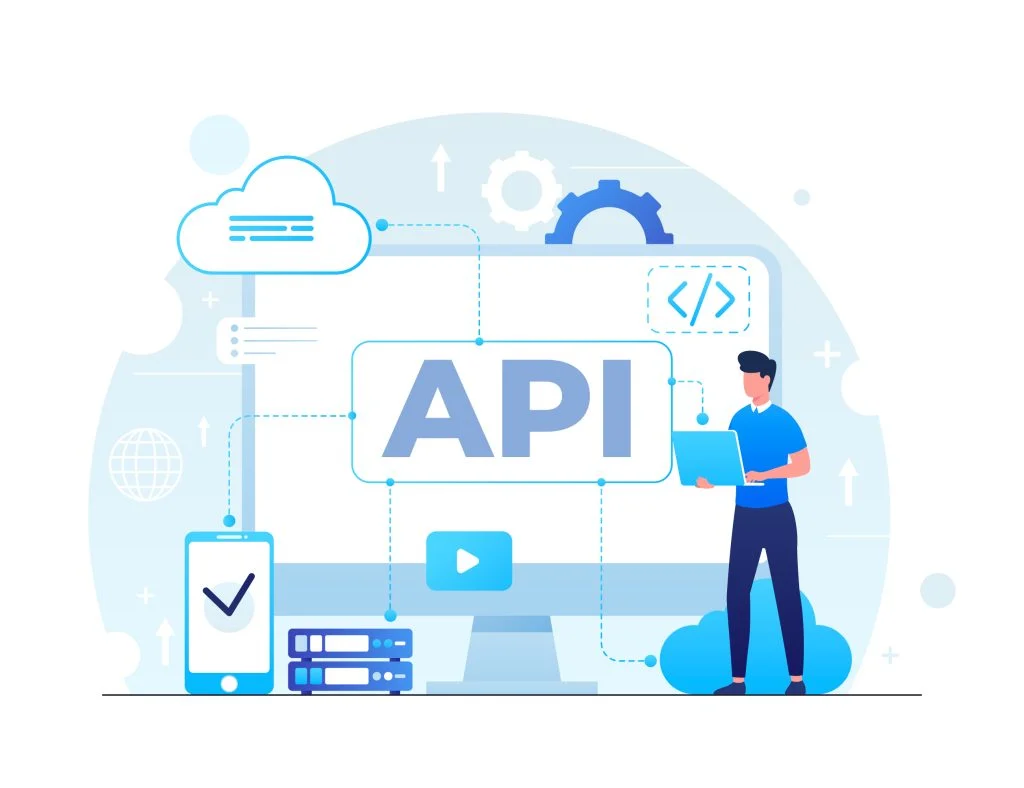
Best practices for Docassemble API integration include using clear authentication protocols, validating incoming/outgoing data formats, handling errors gracefully, and documenting endpoints thoroughly so third-party systems like CRMs sync reliably with interview data.
Docassemble API Integration: Best Practices for Developers
A basic Docassemble app can collect answers and generate documents. That alone is useful.
But a well-integrated Docassemble app? That is where things get exciting.
With the right docassemble API strategy, your app can connect to CRMs, case management systems, payment tools, e-signature platforms, AI services, cloud storage, internal databases, notification tools, and legal workflow systems. Suddenly, Docassemble is not just asking questions and producing PDFs. It is moving data, triggering actions, updating records, and quietly helping teams avoid the ancient workplace ritual of copy-paste.
For developers, though, API integration is not just about calling an endpoint and hoping the response behaves nicely. Real-world Docassemble API integration needs clean data mapping, secure authentication, error handling, retries, logging, background jobs, webhooks, monitoring, and documentation.
In simple words: the API call is the easy part. The production-grade workflow around it is where the real engineering happens.
If you are building Docassemble workflows for legal aid, enterprise legal teams, estate planning firms, courts, nonprofits, or compliance-heavy organizations in the USA, these best practices will help you build integrations that are secure, scalable, and much easier to maintain.
What Is Docassemble API Integration?
Docassemble API integration means connecting a Docassemble interview or backend workflow with external systems through APIs.
A Docassemble app can:
- Pull client data from a CRM
- Create a new record in a case management system
- Send generated documents to cloud storage
- Submit forms to an internal database
- Send files for e-signature
- Trigger email or SMS notifications
- Validate identity or eligibility
- Use AI tools to summarize intake answers
- Send documents into a review workflow
- Sync data with enterprise platforms
Instead of making staff download a PDF, rename it, upload it somewhere else, update a spreadsheet, and email the next person, a connected Docassemble app can automate those steps.
That is the real power of Docassemble workflow automation.
A good integration does not make the user think about systems. It simply lets the workflow continue. The user completes the guided interview, and the app handles the boring backend work like a very responsible assistant who never takes lunch breaks.
For teams starting from scratch, custom Docassemble development can help design these workflows properly from day one.
Why the Docassemble API Matters for Workflow Automation
The docassemble API matters because most organizations do not operate inside one system.
Legal aid teams may use LegalServer. Enterprise teams may use a CRM, document repository, HR system, or contract lifecycle tool. Estate planning firms may use client portals, document management systems, and e-signature tools. Corporate legal teams may need policy documents routed for review and approval.
Without integration, Docassemble may still generate a document, but the next steps become manual.
With integration, the app can:
- Collect user responses
- Apply decision logic
- Generate documents
- Push data into another system
- Save files in the correct place
- Trigger notifications
- Create an audit trail
- Send a document for signature
- Update a case or matter record
This reduces duplicate data entry, improves accuracy, and saves staff time.
For example, a legal aid intake workflow can collect eligibility information, generate a summary, create or update a case record, attach documents, and notify staff. This is exactly why use cases like LegalServer case management integration are valuable. They help Docassemble move from standalone document automation to connected legal operations.
The fewer times a human has to copy-paste data between systems, the fewer chances there are for errors, delays, and mysterious spreadsheet tragedies.
Start With Workflow Before Choosing a Docassemble REST API Approach
Developers sometimes jump straight into endpoints, tokens, and payloads.
That is understandable. APIs are shiny. Workflows are messy.
But before choosing a Docassemble REST API approach, map the workflow clearly.
Ask:
- Who starts the interview?
- What data is collected?
- Which external system already has some of this data?
- What data should be fetched before the interview?
- What data should be pushed after completion?
- Which actions must happen immediately?
- Which actions can run in the background?
- What happens if the API fails?
- Who needs to be notified?
- What audit trail is required?
- What data should never leave Docassemble?
This prevents developers from building elegant chaos.
For example:
A legal aid intake workflow may work like this:
User completes screening → Docassemble checks eligibility → app creates a LegalServer record → generated documents are attached → staff receives notification.
An estate planning workflow may work like this:
Client completes interview → Docassemble generates estate planning documents → document package is saved → attorney receives review task → client receives next-step email.
For estate planning use cases, this type of connected workflow is especially useful. A service like estate planning automation can help turn repetitive intake and document generation into a structured digital process.
API integration should follow the workflow, not the other way around.
Choose the Right Type of Docassemble API Integration
Not every integration works the same way. Developers should first identify what kind of API behavior the workflow needs.
Data Fetch APIs
These APIs pull information into the interview.
Examples include:
- Fetching client profile data
- Pulling case details
- Retrieving addresses
- Loading matter information
- Fetching court or form data
- Checking eligibility rules
Best practice: use fetched data to reduce user effort, but allow users to review and correct information where appropriate.
Data Push APIs
These APIs send information from Docassemble into another system.
Examples include:
- Creating CRM records
- Updating case management systems
- Saving intake results
- Submitting applications
- Uploading generated documents
Best practice: validate the data before pushing it. Do not assume the external system will politely fix messy input. It will not. It will reject your payload with a vague error and ruin someone’s afternoon.
Document APIs
These APIs manage files and documents.
Examples include:
- Uploading PDFs to cloud storage
- Sending documents to e-signature tools
- Converting DOCX to PDF
- Archiving generated forms
- Retrieving signed documents
Best practice: track file ID, document version, timestamp, user action, and status. A document without status tracking is just a PDF wandering around unsupervised.
Notification APIs
These APIs send emails, SMS, or internal alerts.
Examples include:
- User confirmation emails
- Staff notifications
- Deadline reminders
- Follow-up messages
- Error alerts
Best practice: keep notifications short, clear, and free of unnecessary sensitive information.
AI and LLM APIs
AI APIs can support summarization, classification, extraction, drafting, and review workflows.
Examples include:
- Summarizing intake answers
- Extracting text from uploaded documents
- Classifying legal issue types
- Drafting internal notes
- Suggesting next steps
For teams exploring this, AI and LLM integration can help connect AI capabilities safely into Docassemble workflows.
Best practice: use AI as an assistant, not as an unchecked decision-maker. Especially in legal workflows, “the AI sounded confident” is not a compliance strategy.
Secure Your Docassemble Automation API From Day One
Security is not something you sprinkle on top after launch.
When building a Docassemble automation API integration, plan authentication and data protection early.
Best practices include:
- Store API keys in environment variables
- Never hardcode secrets in YAML files
- Use server-side calls for sensitive integrations
- Use OAuth2 where required
- Validate access tokens
- Rotate API keys periodically
- Limit API scopes and permissions
- Use HTTPS only
- Apply least-privilege access
- Avoid sending unnecessary personal data
- Mask sensitive details in logs
- Separate staging and production credentials
If an API key is sitting in plain text where everyone can see it, that is not integration. That is a security incident warming up.
In legal, healthcare, financial, and enterprise workflows, Docassemble may handle highly sensitive information. Developers should send only the data the API truly needs.
Data is not confetti. Do not throw it everywhere.
Build Clean Data Mapping for Legal Document Automation API Workflows
A Legal document automation API workflow often fails because the data looks clean in one system and completely different in another.
Docassemble may store a user’s address as:
user.address.address
But the CRM may expect:
primary_residential_address_line_1
That gap needs a mapping layer.
Strong data mapping should include:
- Clear variable names
- Normalized dates
- Consistent phone number formats
- Proper boolean and enum conversion
- Required field validation
- Handling for missing values
- Separate frontend labels and backend field names
- A maintained data dictionary
- Mapping version history
This becomes especially important in workflows like corporate policy document assembly, where policy templates, approval rules, employee data, and generated documents must stay consistent.
Field mapping looks boring until one wrong field sends the wrong document to the wrong place. Then suddenly it becomes everyone’s favorite meeting topic.
Use Middleware for Complex Document Assembly API Integrations
For simple integrations, Docassemble can call an API directly.
But when workflows involve multiple systems, a middleware layer is often smarter.
A middleware layer can:
- Handle authentication
- Transform data
- Manage retries
- Queue background jobs
- Apply business rules
- Normalize API responses
- Protect internal systems
- Centralize logging
- Reduce interview complexity
- Support future API changes
A common architecture looks like this:
Docassemble interview → Middleware API → CRM / case management / storage / e-signature / AI / notification service
This keeps YAML cleaner and makes debugging easier.
Middleware is like a good front desk. It takes messy requests, routes them properly, and prevents every system from shouting directly at every other system.
For developers building enterprise-grade Document assembly API workflows, middleware can make the system easier to maintain as vendors, endpoints, and business rules change.
Avoid Slow API Calls During Active Interviews
User experience matters.
Some API calls should happen during the interview because the user needs the response to continue. Others should happen in the background.
Run API calls immediately when:
- The app needs data for the next question
- Identity or eligibility must be validated
- The user must review the response before moving forward
- A required field must be confirmed before submission
Run API calls in the background when:
- Uploading large files
- Generating large PDFs
- Sending emails
- Creating records in multiple systems
- Running AI summaries
- Archiving documents
- Syncing with several platforms
Nobody wants to stare at a spinning loader while three systems argue in the background.
For long-running tasks, show a confirmation message, save the user’s progress, and process the task asynchronously. Then notify the user or staff when the task is complete.
This improves performance and reduces frustration.
Handle Docassemble REST API Errors Gracefully
APIs fail.
Networks fail. Tokens expire. Vendors go down. Someone changes a field name on Friday evening because apparently Friday was not dramatic enough.
Your integration should expect failure.
Common API issues include:
- Timeout
- 400 validation error
- 401 unauthorized
- 403 forbidden
- 404 missing resource
- 409 conflict
- 429 rate limit
- 500 server error
- Invalid response format
- Network failure
A bad user message says:
“API error 500.”
A better user message says:
“We saved your answers, but we could not submit the document right now. Our team has been notified.”
Best practices include:
- Save user answers before calling external APIs
- Show friendly user-facing messages
- Log technical details separately
- Provide retry options when safe
- Use fallback paths
- Alert admins for critical failures
- Store failed payloads securely for review
- Track status such as pending, failed, retried, and completed
The goal is simple: do not make users pay the price for backend instability.
Validate API Responses Before Trusting Them
Just because an API returns a response does not mean the response is correct.
Developers should validate:
- Status codes
- Required fields
- Data types
- Empty responses
- Unexpected null values
- Response schema
- Dates and formats
- File IDs
- Document URLs
- E-signature status
- Payment status
- Eligibility result values
For example, if an e-signature API says a document was sent, save the envelope ID, status, timestamp, and recipient details. Do not just assume the document journey is complete.
Trust, but validate. Especially when software is involved.
Log Docassemble API Activity Without Exposing Sensitive Data
Logging is essential for debugging, compliance, and support.
But logs can become risky if they store confidential information.
Good logs should capture:
- Request ID
- Timestamp
- Integration name
- Status code
- User or case reference where appropriate
- Success or failure status
- Retry count
- Error category
- Webhook event ID
- Document or record ID
Avoid logging full payloads unless there is a controlled, secure reason to do so. Mask sensitive values like SSNs, dates of birth, medical information, financial data, and confidential legal details.
Good logs are like breadcrumbs. Bad logs are like leaving the whole sandwich on the trail.
Manage Webhooks Carefully in Docassemble Workflow Automation
Many APIs use webhooks to send status updates.
Examples include:
- Document signed
- Payment completed
- File processed
- AI job completed
- CRM record updated
- Case status changed
- Notification delivered
Webhook best practices include:
- Verify webhook signatures
- Store event IDs
- Handle duplicate events
- Make processing idempotent
- Respond quickly to webhook calls
- Process heavy work asynchronously
- Log webhook activity
- Retry failed webhook processing
- Secure endpoint access
Webhooks are helpful, but they can be noisy. Treat them like important messages, not random doorbells.
Test Docassemble API Integration With Realistic Scenarios
Testing only the happy path is risky.
The happy path is nice. The messy path is where production lives.
Test scenarios should include:
- Successful API calls
- Missing required fields
- Expired tokens
- Invalid API keys
- Slow responses
- Timeouts
- Rate limits
- Duplicate submissions
- File upload failures
- External system downtime
- Unexpected response formats
- User refreshes page mid-process
- User resumes interview later
- Background job failure
- Webhook duplicates
- Retry after failure
Use realistic data too: long names, multiple parties, special characters, empty optional fields, uploaded files, multiple addresses, and different user roles.
Create a staging environment before production. Use sandbox credentials where possible. Do not send test emails to real users. Production is not the place to discover that your “test” notification went to 400 people.
Document the Integration for Future Developers
Good documentation saves future developers from detective work.
Document:
- API purpose
- Authentication method
- Endpoints used
- Request examples
- Response examples
- Data mapping
- Error handling rules
- Retry behavior
- Webhook events
- Environment variables
- Known limitations
- Testing steps
- Deployment notes
Future you is also a developer. Be kind to future you.
This is especially important for long-term Docassemble projects where templates, business rules, APIs, and staff needs change over time.
Common Docassemble API Integration Mistakes
Avoid these common mistakes:
- Hardcoding API keys
- Calling APIs unnecessarily on every screen
- Skipping error handling
- Trusting responses without validation
- Logging sensitive payloads
- Forgetting retries and rate limits
- Testing only in production
- Mixing template logic with integration logic
- Not documenting data mapping
- Ignoring webhook security
- Sending too much data to third-party systems
- Treating integration as a one-time setup
Most integration issues are not caused by one giant mistake. They come from small shortcuts that quietly become expensive later.
Conclusion
A well-planned docassemble API integration can turn a guided interview into a full workflow automation system.
With the right approach, Docassemble can pull data, push records, generate documents, trigger notifications, send files for signature, connect with AI tools, and update enterprise systems automatically.
But strong integration requires discipline.
Developers need secure credentials, clean data mapping, thoughtful error handling, response validation, logging, webhooks, testing, monitoring, and documentation.
Great Docassemble API integration should feel invisible to users, understandable to developers, and reliable enough that operations teams are not chasing ghosts in the system.
That is how Docassemble becomes more than a document tool. It becomes the quiet engine behind smarter legal, enterprise, and compliance workflows.
FAQ
1. What is Docassemble API integration?
Docassemble API integration means connecting a Docassemble interview or workflow with external systems using APIs. This can include CRMs, case management platforms, e-signature tools, cloud storage, AI services, payment systems, internal databases, or notification platforms. Instead of making staff manually download documents, upload files, update records, and send emails, APIs allow those steps to happen automatically. In simple words, Docassemble collects the information, applies logic, generates documents, and then quietly tells the right systems what to do next.
2. Why is the Docassemble API important for developers?
The Docassemble API is important because it helps developers turn a basic guided interview into a complete workflow automation system. A standalone Docassemble app can ask questions and generate documents, but API integration allows it to pull data, push records, send documents for signature, trigger notifications, and update case management systems. This saves time, reduces copy-paste errors, and improves the user experience. Basically, it helps developers build apps that do more than create PDFs; they actually move the work forward.
3. What are the best practices for secure Docassemble API integration?
Secure Docassemble API integration should start with proper credential management. Developers should use environment variables for API keys, avoid hardcoding secrets in YAML files, use HTTPS, rotate keys when needed, limit API scopes, and keep sensitive integrations server-side. It is also important to avoid sending unnecessary personal data to third-party systems. Logs should be useful for debugging but should not expose confidential information. If an API key is sitting in plain text, that is not “quick development.” That is a future security incident politely waiting its turn.
4. Should developers use middleware for Docassemble API integration?
Yes, middleware is a smart choice for complex Docassemble API integration. If the workflow connects with multiple systems such as a CRM, case management platform, document storage, e-signature provider, and notification service, middleware keeps the architecture cleaner. It can handle authentication, retries, data transformation, logging, error handling, and background jobs. This keeps Docassemble interviews easier to maintain. Think of middleware like a helpful front desk: it receives the request, routes it properly, and stops every system from shouting directly at every other system.
5. How should developers handle API errors in Docassemble apps?
Developers should assume APIs will fail sometimes. Tokens expire, networks slow down, vendors have downtime, and yes, someone may change a field name right before the weekend. A good Docassemble app should save user answers before calling APIs, show friendly error messages, log technical details separately, provide retry options when safe, and alert admins for critical failures. Instead of showing “API error 500,” the app should say something like, “We saved your answers, but could not submit the document right now. Our team has been notified.”
6. How can Docassemble REST API integrations improve legal document automation?
Docassemble REST API integrations can make legal document automation faster, cleaner, and more connected. For example, after a user completes an interview, the app can generate a document, save it to a case management system, send it for e-signature, notify staff, and update the matter record automatically. This reduces manual work and helps teams avoid duplicate data entry. For legal aid, estate planning, corporate policy, and compliance workflows, API integration turns document assembly into a full operational workflow instead of just a document download.
7. What common mistakes should developers avoid in Docassemble API integration?
Common mistakes include hardcoding API keys, calling APIs unnecessarily on every screen, skipping error handling, trusting API responses without validation, logging sensitive payloads, ignoring rate limits, testing directly in production, and not documenting data mappings. Another big mistake is treating integration as a one-time setup. APIs change, templates change, business rules change, and workflows evolve. A strong Docassemble integration should be versioned, tested, monitored, and documented properly. Future developers will thank you. Or at least they will not silently curse your name during debugging.
 English