Author name: Bhavin Bhavsar

Docassemble for Courts & Self-Represented Litigants: What to Automate First

Docassemble for Courts & Self-Represented Litigants: What to Automate First

Across the United States, courts are facing a growing challenge: more self-represented litigants (SRLs), fewer resources, and increasing pressure to modernize. Clerks are overwhelmed, judges are navigating incomplete filings, and litigants are struggling to understand complex legal procedures on their own. This is where docassemble for courts is quietly transforming access to justice. Docassemble is […]

Docassemble for Courts & Self-Represented Litigants: What to Automate First Read More »

Docassemble for Legal Aid Organizations: Build Self-Help Tools That Scale

Docassemble for Legal Aid Organizations: Build Self-Help Tools That Scale

Legal aid teams in the U.S. are doing mission-critical work under constant pressure: high demand, limited staffing, and clients who need answers fast—often outside business hours. The hardest part isn’t just the law. It’s the workflow: intake, eligibility screening, form prep, document generation, follow-ups, and handoffs. That’s exactly where docassemble for legal aid becomes a

Docassemble for Legal Aid Organizations: Build Self-Help Tools That Scale Read More »

Docassemble DOCX PDF Templates: Formatting That Doesn’t Break

Docassemble Document Templates: PDF/DOCX Formatting That Doesn’t Break

If you’ve built a Docassemble interview that collects perfect answers—but the final output PDF looks “off” (spacing jumps, tables wrap weirdly, conditional paragraphs leave awkward gaps), you’re not alone. In the real world, the hardest part of document automation is rarely the interview logic. It’s the template layer. This guide is a practical, production-focused playbook

Docassemble Document Templates: PDF/DOCX Formatting That Doesn’t Break Read More »

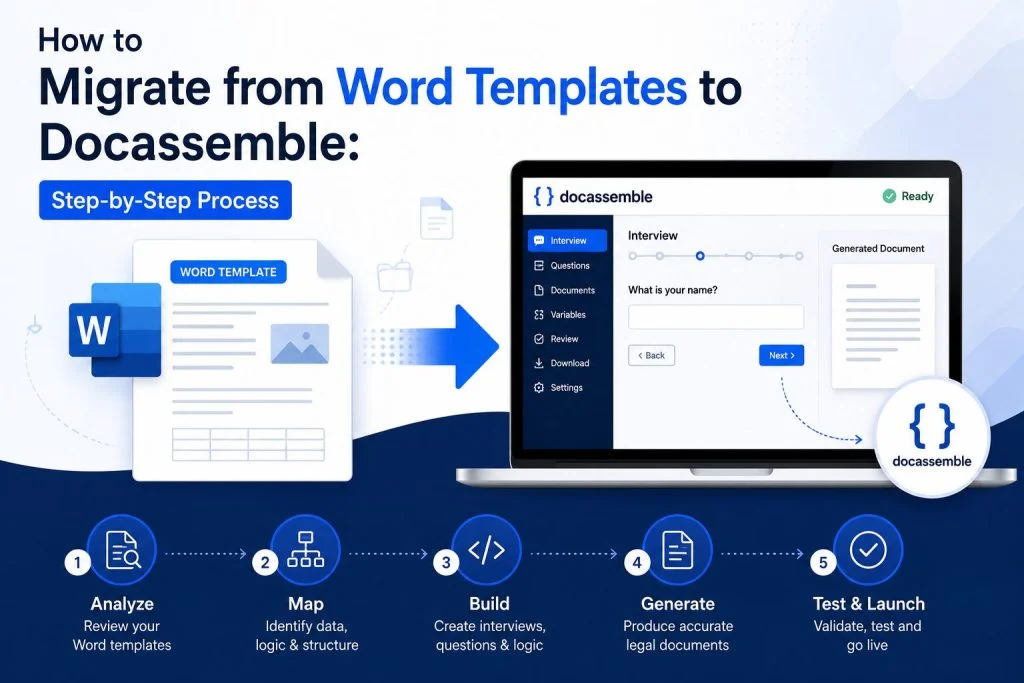
Migrate to Docassemble: Moving from PDFs/Word Templates to Guided Interviews

Migrate to Docassemble: Moving from PDFs/Word Templates to Guided Interviews

If your organization still runs on fillable PDFs, Word templates, and “email us the completed form,” you’re not alone. In the US, that workflow is still the default across legal aid, courts, nonprofits, government agencies, and even private firms. But it comes with familiar pain: That’s exactly where Docassemble shines. It turns static templates into

Migrate to Docassemble: Moving from PDFs/Word Templates to Guided Interviews Read More »

Fix a Broken Docassemble Interview: Common YAML/Logic Issues and How to Solve Them

Fix a Broken Docassemble Interview: Common YAML/Logic Issues and How to Solve Them

Nothing is more frustrating than a Docassemble interview that almost works—until it suddenly throws an error, loops forever, or generates a blank document right when you need it. If you’ve ever shipped a docassemble app for intake, forms, or document assembly, you already know: most “broken” interviews aren’t broken because Docassemble is unreliable. They’re broken

Fix a Broken Docassemble Interview: Common YAML/Logic Issues and How to Solve Them Read More »

Docassemble Security Best Practices: Access Control, Audit Trails & Data Handling

Docassemble Security Best Practices: Access Control, Audit Trails & Data Handling

Legal orgs and agencies don’t adopt Docassemble because it’s “cool tech.” They adopt it because it reduces friction, standardizes intake, and generates documents faster—often while handling sensitive data (PII, financial info, immigration facts, custody details, protected addresses, etc.). That’s why security in Docassemble isn’t a checkbox. It’s part of product quality.In this guide, we’ll cover

Docassemble Security Best Practices: Access Control, Audit Trails & Data Handling Read More »

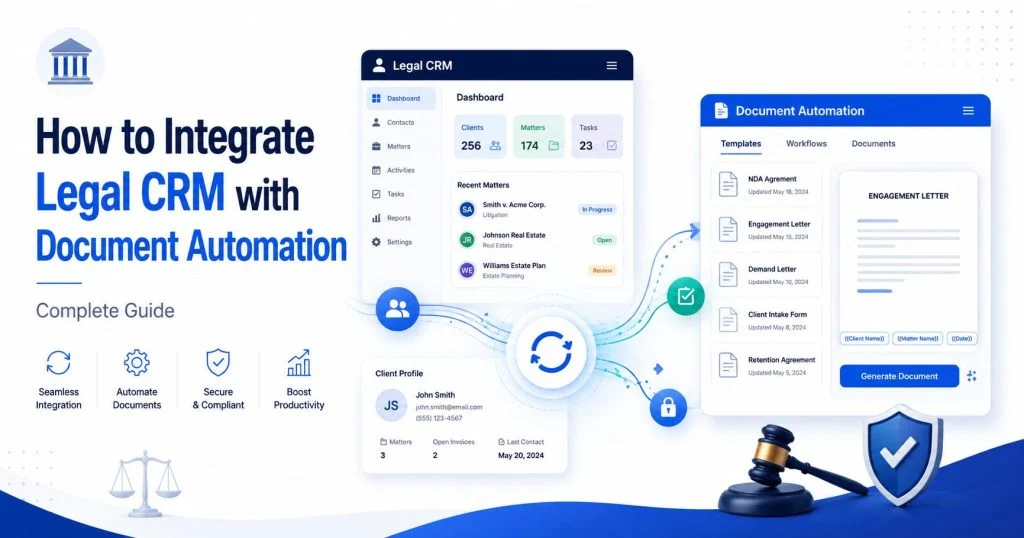
Docassemble Integrations: Salesforce + LegalServer + API Workflows for US Orgs

Docassemble Integrations: Salesforce + LegalServer + API Workflows for US Orgs

If your team uses Docassemble to collect client information and generate documents, you already know the magic: fewer PDFs flying around, fewer “did we miss that field?” moments, and far less manual copy-paste. But the real efficiency shows up when Docassemble doesn’t live in a silo. US legal aid orgs, public interest clinics, and government-adjacent

Docassemble Integrations: Salesforce + LegalServer + API Workflows for US Orgs Read More »

Docassemble on AWS: Secure, Scalable Hosting Setup for US Legal Teams

Docassemble on AWS: Secure, Scalable Hosting Setup for US Legal Teams

If you’re a US legal team using Docassemble, you already know the “magic” isn’t just the interview logic—it’s the confidence that everything runs reliably when real clients (and real deadlines) show up. A production-grade docassemble aws deployment is what turns a prototype into something your firm can trust: secure access, predictable performance, backups, and an

Docassemble on AWS: Secure, Scalable Hosting Setup for US Legal Teams Read More »

Legal Intake Automation with Docassemble: Reduce Manual Work in 30 Days

Legal Intake Automation with Docassemble: Reduce Manual Work in 30 Days

Legal intake is where good cases are won—or quietly lost. Not because attorneys don’t know the law, but because the first step is usually a patchwork: a PDF someone emails back half-filled, a receptionist typing notes into three different systems, and a paralegal chasing missing details for days. Multiply that by 30–100 leads a month

Legal Intake Automation with Docassemble: Reduce Manual Work in 30 Days Read More »

Docassemble Court Forms Automation: Build Court-Ready PDFs Faster

Docassemble Court Forms Automation: Build Court-Ready PDFs Faster

A missed checkbox, a blank required field, the wrong attachment, or a name that doesn’t match the caption can turn a simple filing into a rejection notice, another trip to the courthouse, and another round of calls and emails. If you’ve ever helped a client—or a self-represented litigant—navigate static PDFs, you already know the pattern:

Docassemble Court Forms Automation: Build Court-Ready PDFs Faster Read More »

en_USEnglish
Scroll to Top