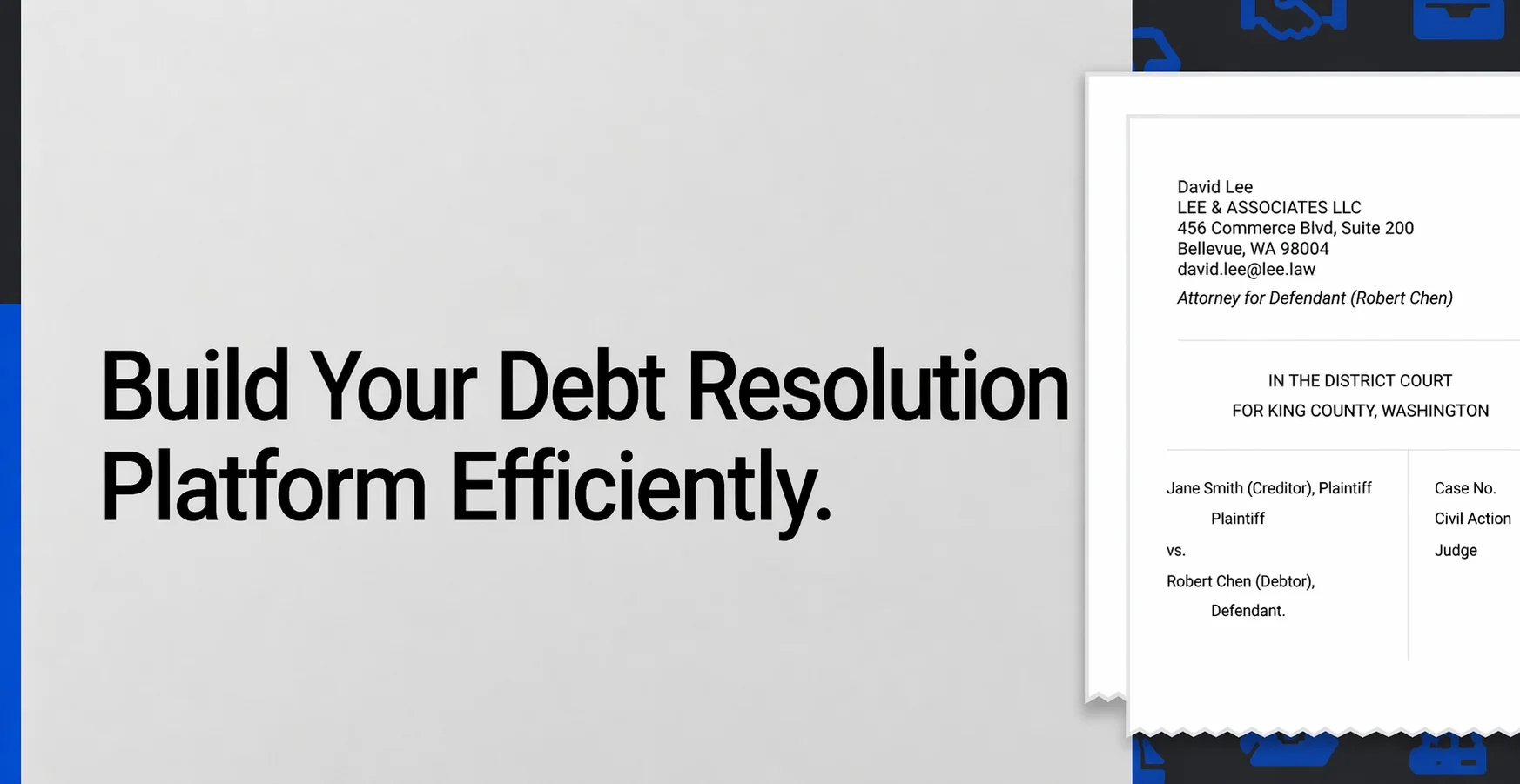
A debt-resolution platform like SoloSuit relies on guided legal interviews, automated answer/response document generation, and court-form logic — core capabilities that Docassemble development handles well for self-help legal tech products.
How to Build a Debt Resolution Platform Like SoloSuit: A Gavel Alternative for Modern Legal Tech Teams
Debt lawsuits are scary. Most people do not receive a court notice and think, “Great, let me calmly research civil procedure today.” They panic. They worry about wages, credit scores, bank accounts, court deadlines, and confusing legal language.
That is why platforms like SoloSuit matter. They turn a stressful legal process into a guided digital journey. Instead of asking users to understand legal forms alone, the platform asks simple questions, generates documents, explains next steps, and helps users respond before deadlines.
For legal tech founders, law firms, legal aid organizations, and debt resolution companies, this creates a strong opportunity: build a modern debt resolution platform that combines legal document automation, AI-assisted workflows, human review, and simple user experience.
And if you are looking for a Gavel alternative, this guide explains how to build a flexible, custom debt resolution platform using tools like Docassemble, AI workflows, and scalable legal automation systems.
What Is a Debt Resolution Platform?
A debt resolution platform helps people respond to debt collection lawsuits, validate debts, negotiate settlements, generate legal documents, and track case progress.
The platform can serve:
- Consumers facing debt lawsuits
- Legal aid organizations
- Consumer protection law firms
- Debt settlement companies
- Nonprofits
- Court access-to-justice programs
- Law firms offering automated intake
The goal is simple: help users understand what to do next.
A strong platform does not just generate documents. It guides people through a difficult moment with clarity.
Why SoloSuit Is a Strong Reference Model
SoloSuit is useful as a product reference because it focuses on one painful problem: helping users respond to debt lawsuits.
Its model includes:
- Guided legal questionnaires
- Plain-language questions
- Debt lawsuit answer generation
- Court-ready document preparation
- Optional review or filing support
- Deadline-focused workflows
- Simple step-by-step UX
The biggest lesson is not just “automate documents.” The real lesson is: make legal action feel less overwhelming.
That is exactly where a custom legal document automation software platform can win.
Why Build a Gavel Alternative?
Gavel is a no-code legal workflow automation software platform used for document automation and guided legal workflows. It can be useful for teams that want to create legal apps without heavy engineering.
But some organizations need more control.
You may need a Gavel alternative if you want:
- Custom legal logic
- Full control over workflows
- Custom branding
- Court-specific templates
- AI-assisted document intake
- Deep integration with case management systems
- Custom dashboards
- Complex review and approval workflows
- Flexible hosting and data control
- Open-source document automation options
This is where Docassemble becomes especially useful.
Docassemble vs Gavel: Which One Fits a Debt Resolution Platform?
Both Docassemble and Gavel can support legal document automation, but they fit different needs.
| Feature | Docassemble | Gavel |
| Platform type | Open-source legal automation framework | No-code legal automation platform |
Best for | Custom workflows and advanced legal logic | Faster no-code legal app creation |
| Flexibility | Very high | Moderate to high |
Developer control | Strong | Limited compared to custom development |
Hosting control | Can be self-hosted | Platform-dependent |
Custom integrations | Strong with development | Depends on available options |
If your goal is to build a custom SoloSuit-like debt resolution product, Docassemble can be a strong foundation.
You can explore Docassemble development support here:
https://docassembledevelopment.com/
Core Features of a Debt Resolution Platform Like SoloSuit
1. User Onboarding and Case Intake
The first step is collecting case details. Keep this calm and simple.
Ask for:
- User name and contact information
- Court notice details
- Creditor or debt collector name
- Claimed debt amount
- Deadline to respond
- Court name and location
- Uploaded summons or complaint
- Current case status
Avoid legal-heavy language. Instead of “Enter plaintiff information,” say “Who is suing you?”
Small wording changes can reduce user anxiety.
2. Guided Legal Questionnaire
A guided questionnaire converts user answers into structured legal data.
Good questionnaire design includes:
- Short questions
- Conditional logic
- Plain-language explanations
- Progress indicators
- Save-and-resume options
- State-specific logic
- Help text for legal terms
For example:
Bad: “Do you admit liability?”
Better: “Do you agree that you owe this debt?”
This is where human-touch UX matters. Users are often stressed, so every screen should feel like guidance, not interrogation.
3. Legal Document Automation Software
Document automation is the heart of the platform.
Your system should generate:
- Debt lawsuit answers
- Debt validation letters
- Settlement offer letters
- Payment agreement templates
- Court cover letters
- Filing instructions
- Review-ready PDFs
Templates should support:
- Conditional clauses
- State-specific rules
- Court formatting
- Version control
- Attorney review
- Audit history
This is where a strong legal document automation software setup becomes essential.
4. Deadline and Reminder System
Debt lawsuit deadlines are serious. Missing a deadline can create major financial consequences.
Add:
- Deadline calculator
- Dashboard countdown
- Email reminders
- SMS reminders
- Urgent alerts
- Filing confirmation reminders
This is not a “nice to have” feature. For users, reminders can be the difference between action and default judgment.
5. Attorney Review Workflow
Some users may want professional review before filing.
Your platform can include:
- Attorney/admin dashboard
- Document review queue
- Comments and edits
- Approval status
- Internal notes
- Version history
- Turnaround tracking
This helps balance automation with human expertise.
AI can draft. Automation can assemble. But legal review still matters.
6. Settlement and Negotiation Tools
Many users do not only want to respond. They want to resolve the debt.
Add tools for:
- Settlement offer generation
- Counteroffer tracking
- Payment plan creation
- Negotiation letter templates
- Communication history
- Settlement agreement generation
This makes the platform more useful beyond first-response documents.
7. Filing and Delivery Support
After document generation, users still need to know what to do.
Support options can include:
- Court filing instructions
- Mailing instructions
- E-filing integrations where available
- Document delivery tracking
- Downloadable filing packets
- Cover letters
- Proof-of-service guidance
Do not leave users at “download PDF.” The best platforms guide them to the finish line.
8. User Dashboard
A debt resolution dashboard should show:
- Case status
- Documents generated
- Deadlines
- Payments
- Review status
- Filing status
- Next step
- Support options
The dashboard should answer one question clearly: “What should I do next?”
9. Admin and Case Management Panel
Your internal team needs a strong backend.
Admin features may include:
- User management
- Case management
- Template management
- Payment tracking
- Review queue
- Support tickets
- Document logs
- State-wise filters
- Deadline alerts
- Audit logs
For larger legal aid or law firm teams, case management integration becomes important.
You can explore LegalServer integration use cases here:
https://docassembledevelopment.com/use-cases/legalserver-case-management-integration/
How to Build a Debt Resolution Platform Like SoloSuit
Step 1: Define the Legal Scope
Start narrow.
Choose:
- One state
- One court type
- One document type
- One user journey
For example, start with “debt lawsuit answer generation for consumers in one state.”
Do not try to support all 50 states on day one. That is not ambition. That is product chaos wearing a blazer.
Step 2: Map the User Journey
Map different user paths:
- User received summons
- User wants debt validation
- User wants to settle
- User missed a deadline
- User wants attorney review
- User needs filing instructions
Also map emotional states. Users may feel scared, embarrassed, or confused. Your UX should be calm, direct, and reassuring.
Step 3: Build the Questionnaire Engine
Your questionnaire engine should support:
- Dynamic forms
- Conditional branching
- State-specific questions
- Save-and-resume
- Data validation
- Legal explanations
- Structured answer storage
This engine becomes the brain of your platform.
Step 4: Use Docassemble for Document Automation
Docassemble is a strong open-source option for building guided interviews and legal document automation workflows.
With Docassemble, you can create:
- Guided interviews
- Conditional legal logic
- Court-ready documents
- PDF generation
- Multi-step workflows
- User-friendly legal questionnaires
For teams looking for a document automation platform for law firms, Docassemble can be customized for debt resolution, legal aid, case intake, and court document generation.
Explore Docassemble development here:
https://docassembledevelopment.com/
Step 5: Create State-Specific Templates
Debt lawsuit forms and court rules can vary by state.
Your template system should include:
- State-specific documents
- Court-specific formatting
- Conditional defenses
- Template version control
- Legal expert review
- Clear disclaimers
Never treat legal templates as static files. They need maintenance.
Step 6: Add AI-Assisted Features
AI can improve speed and usability, but it should be used carefully.
Useful AI features include:
- Summons summarization
- Deadline extraction
- Document classification
- AI-assisted form filling
- Plain-English legal explanations
- Support chatbot
- Template recommendation
- Case risk explanation
- Settlement suggestion drafts
Important: AI should assist, not replace legal judgment.
For legal workflows, the safest approach is AI-assisted plus human-reviewed.
Step 7: Build Review and Approval Workflows
Add human review where needed.
Review workflows should include:
- Reviewer assignment
- Document comments
- Approval status
- Revision history
- Internal notes
- User notifications
- Review completion alerts
This is especially important if the platform offers attorney review or legal aid support.
Step 8: Integrate Payments
Monetization options may include:
- Pay-per-document
- Attorney review fee
- Filing support fee
- Monthly subscription
- White-label licensing
- B2B legal aid contracts
- Law firm automation packages
Keep pricing clear. Users facing debt lawsuits do not need surprise fees. They already have enough surprises.
Step 9: Add Notifications and Reminders
Notifications should cover:
- Deadline reminders
- Payment confirmation
- Review completion
- Filing reminders
- Missing document alerts
- Settlement updates
- Support ticket updates
Use email and SMS, but do not spam users. Reminder fatigue is real.
Step 10: Build Security and Compliance from Day One
A debt resolution platform handles sensitive personal, financial, and legal data.
Security should include:
- Encryption
- Secure document uploads
- Role-based access control
- Audit logs
- Secure hosting
- Data retention policies
- Privacy controls
- Activity tracking
- Secure payment processing
Legal considerations include:
- Clear disclaimers
- Avoiding unauthorized practice of law
- Attorney review where applicable
- State-specific compliance
- Transparent pricing
- Document accuracy review
Recommended Tech Stack
| Layer | Recommended Tools |
| Frontend | React.js, Next.js |
| Backend | Python, Django, Node.js |
Document automation | Docassemble |
Database | PostgreSQL |
File storage | AWS S3, Google Cloud Storage |
Payments | Stripe |
| Notifications | Twilio, SendGrid |
Authentication | Auth0, Firebase Auth, custom auth |
| Hosting | AWS, GCP, Azure |
Analytics | GA4, Mixpanel, PostHog |
How AI Search Engines and LLMs Impact Legal Tech Rankings in 2026
SEO is changing fast.
In 2026, legal tech companies are not only optimizing for Google’s traditional blue links. They are also optimizing for AI Overviews, ChatGPT search, Perplexity, Gemini, and other generative search experiences.
That means your content must be easy for both humans and machines to understand.
AI search engines prefer content that is:
- Clear
- Structured
- Specific
- Helpful
- Expert-driven
- Factually reliable
- Easy to extract
- Supported by schema
- Built around real user questions
For a topic like “Gavel alternative,” AI search engines may look for pages that compare platforms, explain use cases, define features, include FAQs, and show practical implementation guidance.
So instead of writing generic content like “we build legal software,” create pages that answer specific questions:
- What is the best Gavel alternative?
- How does Docassemble compare with Gavel?
- How do law firms automate debt lawsuit answers?
- What is the best legal document automation software for court forms?
- How much does custom legal automation software cost?
This is how you become useful in AI search results.
Practical AI SEO Strategy for a Gavel Alternative Page
1. Use Entity-Rich Headings
Your headings should include important entities:
- Gavel alternative
- Docassemble vs Gavel
- Legal document automation software
- Debt resolution platform
- Document automation platform for law firms
- No-code legal workflow automation software
- Custom legal document automation software
This helps search engines understand topical relevance.
2. Add Comparison Sections
AI search loves comparison-ready content.
Add sections like:
- Docassemble vs Gavel
- Gavel vs custom legal automation
- No-code vs custom legal workflow automation
- Debt resolution platform vs basic document generator
Comparison content is easy for AI engines to summarize and cite.
3. Include Rich Snippet Sections
Add structured sections that directly answer questions.
What is the best Gavel alternative for custom legal document automation?
A strong Gavel alternative for custom legal document automation is Docassemble, especially for teams that need open-source flexibility, guided interviews, court-ready document generation, custom workflows, and integration with legal case management systems.
What is legal document automation software?
Legal document automation software helps law firms and legal organizations generate documents from templates, user answers, conditional logic, and structured data. It can be used for court forms, contracts, policies, letters, intake forms, and legal workflows.
Why use Docassemble for a debt resolution platform?
Docassemble is useful for debt resolution platforms because it supports guided interviews, conditional logic, PDF generation, legal questionnaires, and customized document automation workflows.
5. Build Topical Clusters
Do not publish one isolated blog. Build a cluster around legal automation.
Suggested pages:
- Best Gavel alternatives
- Docassemble vs Gavel
- Legal document automation software for law firms
- Debt lawsuit answer automation
- Legal aid document automation
- Court form automation software
- LegalServer and Docassemble integration
- Corporate policy document assembly
Common Mistakes to Avoid
- Avoid these mistakes when building the platform:
- Publishing AI legal content without human review
- Supporting too many states too early
- Using complex legal language
- Skipping attorney review
- Forgetting deadline reminders
- Weak document template management
- No audit logs
Poor mobile experience
Confusing pricing
Treating security as a later task
MVP Roadmap for a Debt Resolution Platform
Phase 1: Discovery and Legal Mapping
- Select one jurisdiction
- Identify required forms
- Map user journey
- Create legal logic
- Draft templates
- Review with legal experts
Phase 2: MVP Development
- User registration
- Guided questionnaire
- Document generation
- PDF download
- Payment integration
- Basic dashboard
- Email reminders
Phase 3: Review Workflow
- Attorney/admin panel
- Document review
- Comments
- Approval status
- Audit logs
- User notifications
Phase 4: Scaling
- Add more states
- Add settlement workflows
- Add e-filing support
- Add AI document intake
- Add LegalServer integration
- Add white-label partner dashboard
How Much Does It Cost to Build a Platform Like SoloSuit?
Cost depends on:
- Number of states
- Number of document templates
- Workflow complexity
- AI features
- Attorney review module
- Payment integration
- Case management integration
- Security requirements
- E-filing support
- Admin dashboard complexity
The best approach is to start with one jurisdiction and one strong use case. Build the first workflow well, then expand.
Final Thoughts
A debt resolution platform like SoloSuit can make legal help more accessible. But the best platforms do more than generate forms. They guide users through fear, confusion, deadlines, documents, and decisions.
For teams looking for a Gavel alternative, Docassemble offers strong flexibility for building custom legal document automation software. It is especially useful when you need guided interviews, court-ready documents, legal logic, review workflows, and integration with case management systems.
In 2026, ranking for legal tech topics is not only about keywords. It is about being the clearest, most useful answer for humans and AI search engines.
The winning formula is simple:
- Build helpful software.
- Publish helpful content.
- Make both easy to understand.
FAQs
1. What is a Gavel alternative?
A Gavel alternative is a legal document automation solution that offers similar or more flexible workflow automation features. Docassemble is a strong option for teams that need open-source flexibility, custom legal logic, guided interviews, and court-ready document generation.
2. Is Docassemble a good Gavel alternative?
Yes. Docassemble can be a good Gavel alternative for legal teams that need custom workflows, advanced conditional logic, self-hosting options, legal aid workflows, and integration with case management systems.
3. What is legal document automation software?
Legal document automation software generates legal documents using templates, user answers, conditional logic, and structured data. It helps law firms, legal aid teams, and legal tech platforms reduce manual drafting work.
4. How do you build a debt resolution platform like SoloSuit?
To build a platform like SoloSuit, start with legal scope, create guided questionnaires, automate court documents, add deadline reminders, build review workflows, integrate payments, and ensure security and legal compliance.
5. What features should a debt resolution platform include?
A debt resolution platform should include case intake, guided questionnaires, document generation, deadline reminders, settlement tools, attorney review, filing guidance, payments, user dashboard, and admin case management.
6. What is the difference between Docassemble and Gavel?
Gavel is a no-code legal workflow automation platform, while Docassemble is an open-source platform for building guided interviews and legal document automation workflows. Docassemble offers more development flexibility for custom platforms.
7. Can AI be used in legal document automation?
Yes. AI can help summarize documents, extract deadlines, assist with form filling, explain legal terms, route support tickets, and recommend templates. However, legal content should be reviewed by qualified professionals.
8. Is no-code legal workflow automation software enough for law firms?
No-code software can be enough for simple workflows. But law firms with complex logic, court-specific forms, integrations, or custom review workflows may need custom legal document automation software.
9. How does AI search affect legal tech SEO in 2026?
AI search engines prefer clear, structured, expert-driven content that directly answers user questions. Legal tech companies should use comparison sections, FAQs, schema, internal links, and practical examples to improve visibility.
10. How can Docassemble Development help?
Docassemble Development helps legal teams build custom document automation platforms, guided interviews, debt resolution workflows, LegalServer integrations, policy document assembly tools, and AI-assisted legal automation systems.
 English