DocAssemble Development

contract generation

How to Generate PDF & DOCX Documents Using Docassemble

55+ Legal Tech Startups Powered by Document Automation [2026 List]

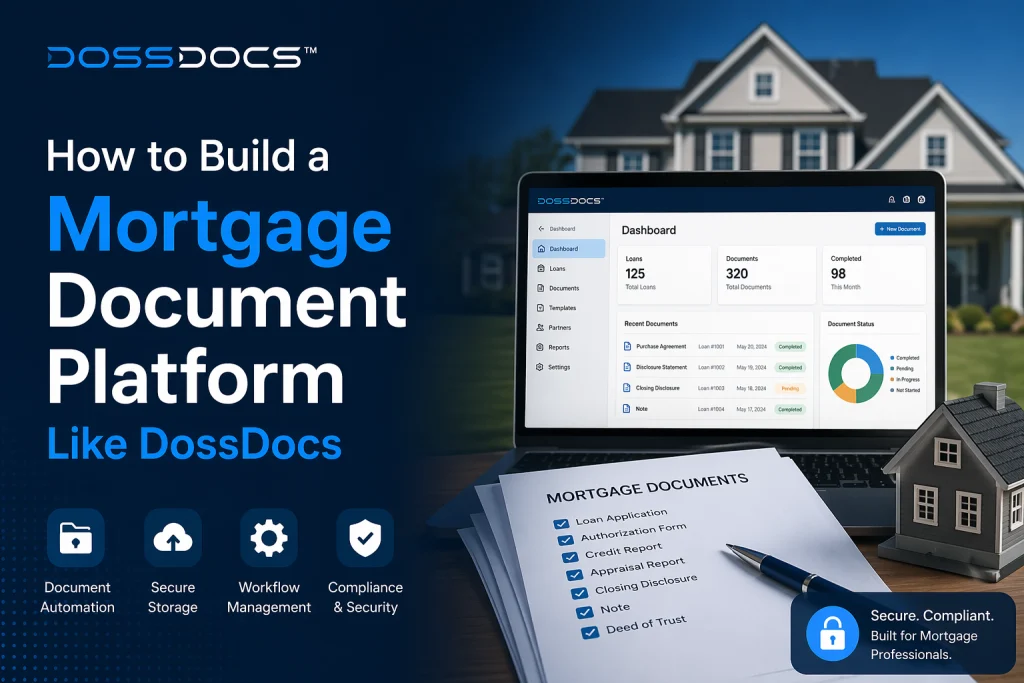
Introduction Legal Tech Companies Built on Document Automation CATEGORY A — Consumer-Facing Legal Products (The “TurboTax for Legal” Model) # Company URL Vertical Model Built On 1 HelloDivorce hellodivorce.com Divorce / Family Law DIY divorce + on-demand experts Built on Gavel 2 SoloSuit solosuit.com Debt Lawsuit Defense Guided Q&A → doc generation → attorney review → filing Custom-built (Inc. 5000, TechCrunch, NPR featured) 3 Landlord Legal (FreshLease) — Real Estate / Landlord Lease platform + video courses + community + law firm upsell Built on Gavel 4 Emessay emessay.io Creative Business Contracts DIY contract generation for creatives → law firm upsell Built on Gavel 5 DossDocs dossdocs.com Mortgage / Private Lending On-demand loan doc generation, 50 states, 200+ lenders Custom-built (by Doss Law, LLP) 6 LegalZoom legalzoom.com General Consumer Legal Business formation, wills, trademarks Custom-built (Public: NASDAQ LZ) 7 Rocket Lawyer rocketlawyer.com General Consumer Legal Legal docs + attorney consultations Custom-built ($72M+ raised) 8 Clerky clerky.com Startup Legal Formation, SAFEs, hiring docs Custom-built (YC S2011) 9 DYgreencard dygreencard.com Immigration Green card application automation Custom-built 10 Counselurdocs — Ontario Business Legal Startup/business agreements (A2I sandbox approved) Built on Gavel 11 NextChapter nextchapterbk.com Bankruptcy Petition prep + e-filing Custom-built 12 DivorceHelp123 divorcehelp123.com Family Law State-specific divorce tools + calculations Custom-built CATEGORY B — Law Firms Building Products on Gavel # Firm What They Built 13 Wilson Sonsini 10 legal tools for internal + client use (Silicon Valley VC/startup law) 14 Lawvex, LLP DIY Personal Property Memorandum (estate planning lead-gen tool) 15 LCN Legal Transfer pricing automation (global, award-winning expert system) 16 MIA Contract Lawyers AI playbook subscription service for in-house counsel clients 17 Matchstick Legal Emessay platform + 17 internal document templates CATEGORY C — No-Code Document Automation Platforms (Direct Gavel Competitors) # Company URL Key Differentiator 18 Gavel (fka Documate) gavel.io Marketplace + white-label + AI Exec 19 Knackly knackly.io Smart intake, HotDocs migration 20 HotDocs (Mitratech) hotdocs.com Enterprise legacy, deep logic 21 Clio Draft (fka Lawyaw) clio.com Clio ecosystem lock-in 22 Rally Legal rallylegal.com Client portal + subscription billing 23 AfterPattern afterpattern.com Databases + reseller portals 24 Woodpecker woodpecker.co Client onboarding focus 25 Legito legito.com Enterprise CLM + PwC partnership 26 Josef joseflegal.com No-code, Australia-based 27 Automio automio.co Q&A-driven, NZ/AU market 28 LawDroid lawdroid.com Chatbot-first approach 29 DocAssemble docassemble.org Open source (Python) — YOUR foundation CATEGORY D — AI Contract Review & Drafting # Company URL Funding 30 Harvey harvey.ai $1B+ raised, $8B valuation 31 Spellbook spellbook.legal ~$30M raised 32 CoCounsel (TR) casetext.com Acquired for $650M 33 LegalOn legalon.ai $50M+ raised 34 Luminance luminance.com $100M+ raised, profitable 35 Ivo ivo.ai VC-backed 36 StrongSuit strongsuit.ai Private 37 Definely definely.com VC-backed 38 Paxton AI paxton.ai $28M raised (YC) CATEGORY E — Vertical Legal Automation (Practice-Area Specific) # Company URL Vertical Funding 39 EvenUp evenuplaw.com PI Demand Letters $1B+ valuation 40 Supio supio.com PI Case Management $91M raised 41 Ares Legal AI areslegal.ai PI Doc Automation Private 42 Orbital orbital.witness Real Estate Legal $60M Series B 43 Proof (Serve) proofserve.com Legal Process Serving VC-backed 44 Briefpoint briefpoint.ai Discovery Automation VC-backed CATEGORY F — Full Practice Management with Doc Automation # Company URL Funding 45 Filevine filevine.com $400M raised 46 Ironclad ironcladapp.com $3.2B valuation (YC) 47 Smokeball smokeball.com Private 48 Clio clio.com $900M+ raised 49 Legora legora.com YC W2024 50 NetDocuments netdocuments.com PE-backed CATEGORY G — Access to Justice / Legal Aid (Built on Gavel) # Organization What They Built 51 Southern Minnesota Regional Legal Services Social Security forms 52 A2J Forms Eviction defense declaration builder (English + Spanish) 53 HelpSelf Legal Legal help for low-income individuals (Gavel’s origin story) 54 USC Law School / Global Legal Hackathon Marijuana conviction clearing platform 55 Name Change Project Automated name change process (Colorado, Wyoming) Docassemble is an open-source platform for guided interviews and document assembly. You collect structured answers once, then generate consistent outputs—PDF, DOCX, and RTF—every time.

55+ Legal Tech Startups Powered by Document Automation [2026 List] Read More »

How to Generate PDF & DOCX Documents Using Docassemble

How to Generate PDF & DOCX Documents Using Docassemble

Introduction If you work in a legal aid organization in the US or UK, you’ve seen the same pattern again and again: staff collect the same facts, copy/paste them into multiple forms, fix formatting issues at the end, and still worry something got missed. That’s exactly what docassemble was built to solve. Docassemble is an open-source platform for guided interviews and document assembly. You collect structured answers once, then generate consistent outputs—PDF, DOCX, and RTF—every time. In this guide, you’ll learn practical, developer-friendly ways to generate PDF & DOCX documents using docassemble, including the most common template approaches, how attachments work, and the small implementation choices that prevent formatting headaches later—especially in high-volume legal aid workflows. How docassemble generates documents (the 3 common approaches) Docassemble supports multiple document assembly methods. The right one depends on whether you want a Word template, a fillable PDF, or a text-driven document. 1) DOCX template → output as DOCX or PDF You prepare a Word template and insert variables into it. Docassemble can generate a DOCX output, and it can also convert the same template into a PDF output. This is the most popular route for legal aid because: 2) Fillable PDF template (form fields) If you have an existing fillable PDF (Acrobat form fields), you can place the template in your package and have docassemble fill the fields using interview variables. This is great when: 3) Plain text / Markdown document blocks You can also write attachments with text blocks and formatting markup. This is useful for letters, notices, and simple documents where you don’t need strict court form structure. The building blocks: templates, variables, and attachments In docassemble, the “magic” is typically the attachment block: it takes a template and merges it with your interview variables to produce a file the user can download. Where templates live What gets merged into templates Your interview variables: names, addresses, dates, checkboxes, conditional sections, signatures, etc. For legal aid, this is the key advantage: once your interview logic is solid, the documents become consistent and repeatable—less “tribal knowledge,” fewer last-minute edits. Technical code section: generate DOCX + PDF from a DOCX template Below is a simple interview skeleton that: 1) Example interview YAML (minimal) 2) Example DOCX template snippet In letter_template.docx, place variables like: Docassemble will merge those values at runtime. (This is the classic docassemble Word-template approach described in the official documentation.) Technical code section: generate a PDF using a fillable PDF template If you have an official court form PDF with fields, docassemble can fill them: Output quality best practices (what legal aid teams care about) 1) Separate “inputs” from “outputs” Treat the interview as the source of truth. Documents should be generated outputs, not hand-edited “final artifacts.” This makes updates safer (new form versions, new clauses, policy changes). 2) Build validations before the attachment step It’s cheaper to catch errors before document generation: 3) Keep templates versioned and named clearly Legal forms change. Store: 4) If you integrate with other systems, decide what “system of record” is Many legal aid orgs use CRMs/case systems for case records and docassemble for the interview + document engine. Docassemble supports an HTTP API for integrations when you need it. Need help building production-grade docassemble interviews (logic + validations + clean documents)? We help legal aid teams implement docassemble workflows, templates, and integrations with stable output formatting and fewer support tickets. Talk to a Docassemble Developer FAQs 1) Can docassemble generate both PDF and DOCX? Yes. Docassemble supports generating documents in PDF, DOCX, and RTF, including DOCX templates that can output DOCX or be converted to PDF. 2) Should legal aid teams start with DOCX templates or PDF form templates? If you want flexible formatting and easy edits, start with DOCX templates. If courts require a specific official PDF form layout, use a fillable PDF template. 3) Why does my PDF look different than my DOCX? DOCX → PDF conversion can introduce formatting differences (fonts, spacing, tables). Testing in LibreOffice early helps catch issues before launch. 4) Where do I store templates in docassemble? Templates go in the package data/templates folder (or the Playground “Templates” folder). 5) Can I generate a full packet of documents (not just one file)? Yes—docassemble can generate multiple attachments in one flow. Many legal aid workflows produce a packet (cover letter + declarations + exhibits) once the interview is complete. 6) Can docassemble integrate with our case management system? Yes. Docassemble offers an HTTP API for integrations, so external systems can trigger interviews or receive generated outputs depending on your architecture.  

How to Generate PDF & DOCX Documents Using Docassemble Read More »

Docassemble API Integration: Best Practices for Developers

Docassemble API Integration: Best Practices for Developers

Introduction Docassemble is already great at what legal aid teams need most: guided interviews that turn messy client inputs into clean, consistent documents (PDF/DOCX/RTF). But the moment you want to reduce staff re-entry, sync case data, validate information, or trigger downstream actions, you’re in integration territory—and that’s where the docassemble API becomes the difference between “a nice interview” and a truly operational workflow. For global legal aid organizations, integrations often look like: This guide is written for developers (and tech leads at legal aid orgs) implementing docassemble API integrations safely—so your interview stays fast, reliable, and maintainable over time. 1) Start with the right integration pattern (push, pull, or hybrid) Most successful docassemble api projects use one of these patterns: A) Pull: Docassemble calls external APIs during the interview Use this when the interview needs data in real time (e.g., eligibility rules, case lookup, court locations). Best practice: don’t block every user on slow third-party responses—use caching, timeouts, and graceful fallback messaging. B) Push: External systems call Docassemble to start or prefill an interview Use this when your CRM/case system is the “source of truth” and Docassemble should start with known data. Best practice: prefill only what you’re confident is accurate; still ask the user to confirm critical fields. C) Hybrid: Prefill + verify + write back This is the most common for legal document assembly software used by legal aid: 2) Treat authentication like a product feature, not a dev checkbox Docassemble’s HTTP API requires authentication using an API key.That single fact should drive these best practices: If your legal aid org is dealing with sensitive data, treat integration credentials with the same care as your case management credentials. 3) Keep the interview fast: timeouts, retries, and “good enough” fallbacks Integrations fail. Banks go down. CRMs rate-limit. Networks blip. Your interview shouldn’t collapse. Do this: Docassemble experts also recommend reliability patterns (retries, clear error messages, safe fallbacks) so workflows don’t break when external systems fail. 4) Use “input → validate → confirm” for anything that affects eligibility In legal aid, one wrong value can mean: So even if you prefill, you should still validate: This is where Docassemble shines compared to traditional docassembly approaches: you can combine logic + validation + document output in one guided flow.  5) Design for audit: log what you sent and what you received Legal aid operations often need to explain: Best practice: 6) Use a clean separation: YAML for flow, Python for integrations A maintainable docassemble app keeps: Why this matters: Docassemble’s development approach supports packaging and version control workflows (GitHub-based packages are common).  Technical code section: simple patterns you can reuse A) Calling an external REST API from Docassemble (Python helper) B) Calling the docassemble API from another service (start/prefill workflow) Docassemble provides an HTTP API controlled via API key authentication. Building a Docassemble integration for legal aid? Share your workflow (intake → eligibility → documents → case system) and we’ll recommend the best integration pattern + reliability checklist. Get in touch FAQ  1) What is the docassemble API used for? It’s used to control parts of Docassemble through HTTP—such as starting sessions/interviews, passing data in, and enabling integrations with other systems using authenticated requests. 2) Should Docassemble call the CRM, or should the CRM call Docassemble? If the interview needs CRM data during the flow, Docassemble “pulls.” If your CRM initiates the workflow and wants prefilled interviews, the CRM “pushes.” Many legal aid teams use a hybrid model. 3) How do we keep interviews fast if third-party APIs are slow? Use timeouts, cache where possible, and design a fallback path so users can continue. Avoid making every user wait on external systems for non-critical data. 4) What’s the safest way to handle failures? Treat external calls as unreliable: log attempts, retry safely, and show clear user messages. Reliability patterns are key to preventing broken workflows. 5) Can we integrate Docassemble with case management tools like LegalServer-style systems? Yes—legal aid orgs commonly integrate Docassemble with CRMs and case management tools using API-based patterns to sync intake, documents, and case updates. 6) What’s the biggest mistake developers make with Docassemble integrations? Hardcoding credentials and building “happy-path-only” integrations. The best systems plan for retries, audit logs, validation, and human-friendly failure states from day one.

Docassemble API Integration: Best Practices for Developers Read More »

en_USEnglish
Scroll to Top