DocAssemble Development

LegalTech

Security Checklist for Running Docassemble in a US Law Firm

Law firms in the United States handle some of the most sensitive data imaginable—client identities, financial records, medical information, affidavits, and privileged communications. As legal organizations increasingly adopt document automation platforms like Docassemble, security is no longer optional—it is foundational. Docassemble is powerful, flexible, and open-source, making it an excellent choice for legal automation. But that same flexibility means security must be deliberately designed, configured, and maintained. This guide provides a practical, real-world security checklist for running Docassemble in a US law firm, covering infrastructure, access control, data protection, compliance, and operational safeguards. If you are responsible for deploying or managing Docassemble, this checklist will help you align with docassemble security best practices and reduce legal, technical, and reputational risk. Why Security Matters When Running Docassemble in a Law Firm “In legal technology, a single misconfiguration can become a compliance incident.” US law firms are bound by: Docassemble workflows often handle: A secure Docassemble deployment protects clients, attorneys, and the firm itself. Security Checklist Overview This checklist is organized into six critical layers: Each layer aligns with docassemble security best practices for US legal environments. 1. Infrastructure & Hosting Security i) Choose Secure Hosting (Cloud or On-Prem) Docassemble should be hosted on: Avoid shared or unmanaged hosting. ii) Restrict Network Access iii) Enforce HTTPS Everywhere Infrastructure security is the first line of defense. 2. User Authentication & Role-Based Access Control “Most Docassemble breaches happen due to excessive permissions—not code flaws.” i)Require Authenticated Users ii) Implement Role-Based Permissions Define clear roles: Each role should: iii) Limit Admin Privileges Role separation is a core principle of docassemble security best practices. 3. Data Storage, Encryption & Retention i) Encrypt Data at Rest and in Transit ii) Secure File Uploads Docassemble often collects: Best practices: iii) Define Data Retention Policies US law firms should: Data minimization reduces risk. 4. Interview & Workflow Security i) Prevent Unauthorized Session Access ii) Lock Completed Sections iii) Separate Client Input from Legal Review Clients should: This separation protects legal integrity. 5. Compliance & Ethical Considerations (US Context) “Security failures are ethical failures in legal practice.” i)Attorney–Client Privilege ii)State Bar & Ethical Rules Ensure: iii) Privacy Expectations Depending on case type, consider: While Docassemble is not “HIPAA-certified,” it can be configured responsibly to meet expectations. 6. Audit Logging & Monitoring i) Enable Logging Track: Logs are critical for: ii) Monitor for Suspicious Activity iii) Backups & Disaster Recovery Resilience is part of security. 7. Secure Deployment & Updates i) Keep Docassemble Updated ii) Review Custom Code If you customize: Ensure: Custom logic introduces custom risk. 8. Training & Operational Discipline “Technology is only as secure as the people using it.” Train Staff Document Security Procedures Human error is a leading risk factor. Common Security Mistakes to Avoid i) Running Docassemble with default settingsii) Giving all staff admin accessiii) Leaving old interviews accessibleiv) Ignoring audit logsv) Treating security as a one-time task Avoiding these mistakes is central to docassemble security best practices Final Thoughts Docassemble is an incredibly powerful platform—but in a US law firm, power must be matched with responsibility. By following this checklist and implementing docassemble security best practices, legal organizations can: Security is not a blocker to innovation—it is what makes innovation sustainable in legal practice. Frequently Asked Questions 1. What are the most important Docassemble security best practices for law firms? The most important docassemble security best practices include role-based access control, encrypted data storage, secure authentication, audit logging, regular updates, and strict separation of client and attorney access. 2. Is Docassemble secure enough for US law firms? Yes, Docassemble can be secure for US law firms when properly configured. Security depends on hosting setup, access controls, encryption, compliance policies, and ongoing monitoring rather than the platform alone. 3. How can law firms protect client confidentiality in Docassemble? Law firms can protect confidentiality by enforcing role-based permissions, isolating case data, limiting admin access, encrypting sensitive files, and ensuring only authorized users can view or edit legal information. 4. Does Docassemble comply with US legal and privacy requirements? Docassemble itself is not a compliance product, but it can be configured to meet US legal and privacy expectations such as attorney–client privilege, data security obligations, and state-level privacy standards. 5. What are common security mistakes law firms make when using Docassemble? Common mistakes include using default settings, granting excessive admin access, failing to encrypt data, ignoring audit logs, and not regularly reviewing or updating security configurations.

Security Checklist for Running Docassemble in a US Law Firm Read More »

Designing Multi-User Docassemble Workflows for US Legal Matters

Modern legal processes in the United States rarely involve just one person filling out a form. Real-world legal matters are collaborative by nature—clients, attorneys, paralegals, court staff, and sometimes third-party reviewers all interact with the same case data at different stages. Yet many document automation systems are still built around single-user assumptions, creating bottlenecks, errors, and inefficiencies. This is where multi user docassemble workflows become essential. Docassemble, as a powerful open-source document automation platform, provides the flexibility to design role-based, collaborative workflows that reflect how legal work actually happens in the US across courts, law firms, legal aid organizations, and government agencies. In this guide, we’ll walk through how to design scalable, secure, and user-friendly multi-user Docassemble workflows specifically tailored for US legal matters. Why Multi-User Workflows Matter in US Legal Systems Legal workflows in the US typically involve: Trying to force all of this into a single-user flow leads to: Multi user docassemble workflows solve this by allowing different users to interact with the same case data at different times, with different permissions. Understanding Docassemble’s Multi-User Capabilities Docassemble was designed with interviews, sessions, and roles in mind. While it doesn’t impose a fixed “multi-user” model, it provides the building blocks to design one. Key capabilities include: When combined correctly, these features allow you to design collaborative legal workflows that mirror real-world processes. Here’s where multi user docassemble workflows are most impactful in the US: Common US Legal Use Cases for Multi-User Docassemble Workflows 1. Family Law Matters 2. Legal Aid & Self-Help Portals 3. Court-Integrated Systems 4. Compliance & Regulatory Filings Final documents generated for submission. Applicant enters data Compliance officer reviews Core Design Principles for Multi-User Docassemble Workflows 1. Clearly Define User Roles Start by mapping who touches the workflow. Typical roles include: Each role should have: This prevents confusion and protects sensitive legal data. 2. Separate Data Collection from Review A best practice in multi user docassemble workflows is separating: For example: This keeps the user experience simple while maintaining professional oversight. 3. Use Conditional Logic for Role-Based Screens Docassemble’s conditional logic allows you to show or hide content based on user role. This enables: Role-aware interviews dramatically improve usability and reduce errors. 4. Enable Secure Session Handoffs One of the most powerful features in Docassemble is the ability to pause and resume interviews across users. For example: This continuity is critical in US legal matters where accuracy and traceability matter. Managing Data Integrity and Version Control Multi-user workflows introduce a critical challenge: data consistency. Best practices include: Docassemble supports server-side variables and persistent storage, making it suitable for complex, multi-stage legal processes. Security & Compliance Considerations (US Context) When designing multi user docassemble workflows for US legal matters, security is non-negotiable. Key considerations: This is especially important for: Designing for Non-Technical Legal Users Not every user is tech-savvy. Effective multi-user Docassemble workflows: A well-designed workflow reduces abandonment and increases successful completions. Testing Multi-User Workflows Before Deployment Before going live, test: Testing across realistic user roles is the only way to ensure reliability in production. Scaling Multi-User Docassemble Systems As adoption grows, workflows must scale. Scalable design strategies include: This allows legal organizations to add new use cases without rebuilding from scratch.hy Docassemble Is Ideal for Collaborative Legal Automation Docassemble stands out because it is: With the right architecture, multi user docassemble workflows can support everything from legal aid portals to enterprise-grade court systems. Final Thoughts Designing multi user docassemble workflows isn’t just a technical exercise it’s about aligning technology with how legal work actually happens in the United States. By focusing on roles, security, usability, and scalability, organizations can transform Docassemble from a form-filling tool into a collaborative legal automation platform. When done right, multi-user workflows reduce errors, save time, improve access to justice, and support better legal outcomes.

Designing Multi-User Docassemble Workflows for US Legal Matters Read More »

When Should US Law Firms Choose Docassemble Over No-Code Tools?

When Should US Law Firms Choose Docassemble Over No-Code Tools?

Legal teams across the United States are under increasing pressure to deliver faster, more accurate, and more accessible legal services—without compromising compliance or professional responsibility. Document automation has become a critical lever in meeting these demands. While no-code tools promise quick setup and visual builders, many US law firms eventually hit a ceiling with flexibility, compliance, and scalability. This is where Docassemble stands apart. This guide helps law firms understand when it makes sense to choose _docassemble for us law firms_ over generic no-code platforms, and why many legal teams treat Docassemble not as a tool—but as infrastructure. The Rise of Legal Automation in US Law Firms Legal automation is no longer limited to large firms with internal engineering teams. From legal aid organizations to boutique firms and mid-sized practices, automation is being used to: Most firms begin with no-code tools because they’re easy to start. But as automation becomes core to operations, cracks begin to show. Why No-Code Tools Eventually Fall Short for Law Firms No-code platforms are designed for speed and simplicity—not for legal rigor. Common limitations include: For simple workflows, these tools may work. But for document automation for law firms USA, especially in regulated environments, these constraints become real risks. When US Law Firms Should Choose Docassemble Below are the most common scenarios where docassemble for us law firms is the right choice. 1. When Legal Logic Is Complex (Not Linear) Legal processes are rarely simple decision trees. Docassemble supports: This makes it ideal for legal form automation software USA, where correctness depends on nuanced fact patterns. 1. When Legal Logic Is Complex (Not Linear) Legal processes are rarely simple decision trees. Docassemble supports: This makes it ideal for legal form automation software USA, where correctness depends on nuanced fact patterns. 2. When Compliance, Ethics, and Auditability Matter US law firms must comply with: Docassemble allows: This level of control is rarely possible with SaaS no-code tools. 3. When Automation Is Client-Facing or Public-Facing If your automation is used by: You need accuracy, accessibility, and explainability. Docassemble excels at: This is why courts and legal aid groups rely heavily on docassemble legal automation. 4. When You Need Ownership (Not Vendor Lock-In) No-code tools often: Docassemble gives law firms: For firms treating automation as a long-term asset, this matters. 5. When You Want Automation to Scale With the Firm As firms grow, automation must support: Docassemble is built for scale, making it ideal for firms investing in document automation for law firms USA beyond MVPs. Technical Flexibility: A Key Advantage One of Docassemble’s biggest strengths is that it combines guided interviews with Python-based logic. Who Should Not Choose Docassemble (Yet)? Docassemble may not be ideal if: In those cases, no-code tools can still be useful. The key is choosing the right tool for the right stage. The Strategic Question Law Firms Should Ask Instead of asking: “Which tool is easier to set up?” Ask: “Which platform can safely support our legal work 3–5 years from now?” For many firms, the answer leads to docassemble document assembly rather than generic builders. Final Thoughts No-code tools are great for quick wins. But Docassemble is built for legal reality. If your firm values compliance, accuracy, ownership, and scalability, choosing docassemble for us law firms isn’t a technical decision—it’s a strategic one. FAQs 1. Is Docassemble harder to use than no-code tools? Docassemble has a learning curve, but it offers far more control. Most firms work with specialists or start with small modules before scaling. 2. Can small US law firms use Docassemble? Yes. Many boutique firms and legal aid organizations use Docassemble successfully, especially for intake and standardized documents. 3. Is Docassemble secure enough for client data? Absolutely. It supports encryption, access controls, audit logs, and self-hosting—making it suitable for sensitive legal data. 4. Can Docassemble replace no-code tools entirely? For legal workflows, yes. Some firms still use no-code tools for internal admin tasks, but rely on Docassemble for client-facing automation. 5. How long does it take to implement Docassemble? Simple interviews can be built in weeks. Complex, court-grade systems take longer but deliver significantly higher long-term value.

When Should US Law Firms Choose Docassemble Over No-Code Tools? Read More »

Docassemble vs HotDocs: Which Is Better for US Legal Teams?

Docassemble vs HotDocs: Which Is Better for US Legal Teams?

Legal teams across the United States are under increasing pressure to deliver faster, more accurate documents while maintaining compliance, security, and consistency. From courts and legal aid organizations to law firms and government agencies, document automation is no longer optional—it’s foundational.Two of the most discussed platforms in this space are Docassemble and HotDocs. In this guide, we break down docassemble vs hotdocs to help US legal teams choose the right solution based on flexibility, cost, scalability, and real-world use cases. Why This Comparison Matters for US Legal Teams US legal workflows are uniquely complex. They must account for: Choosing the wrong legal document automation software can result in vendor lock-in, high licensing costs, or systems that don’t scale with changing legal requirements. Why This Comparison Matters for US Legal Teams US legal workflows are uniquely complex. They must account for: Choosing the wrong legal document automation software can result in vendor lock-in, high licensing costs, or systems that don’t scale with changing legal requirements. Docassemble: Built for Flexibility and Access to Justice Docassemble has become increasingly popular among courts, legal aid organizations, and public sector legal teams in the US. Key Strengths of Docassemble Docassemble is frequently selected as a HotDocs alternative when long-term flexibility and cost control matter. HotDocs: Proven but Commercially Rigid HotDocs has a long history in document automation, particularly among law firms and corporate legal departments. Key Strengths of HotDocs However, HotDocs’ closed ecosystem can be limiting for teams that need rapid iteration, public access, or deep integrations. Feature-by-Feature Comparison 1. Customization & Logic 2. Cost Structure For courts and legal aid, cost predictability is critical. 3. Public-Facing Legal Automation 4. Speed of Iteration 5. Support & Training Real-World Use Cases Courts & Legal Aid Organizations Docassemble is widely adopted here. Law Firms & Corporate Legal Teams HotDocs remains common in this segment. When Should US Legal Teams Choose Docassemble? Choose Docassemble if you need: Choose HotDocs if you need: Final Verdict In the docassemble vs hotdocs debate, there is no one-size-fits-all answer. But for US legal teams focused on scalability, public access, and cost control, Docassemble is increasingly the platform of choice.HotDocs remains relevant for traditional, internal document workflows—but the future of legal automation in the US is moving toward open, flexible, interview-driven systems. FAQs 1. Is Docassemble free to use? Yes. Docassemble is open-source. Costs come from hosting and development, not licensing. 2. Is HotDocs still widely used in the US? Yes, especially in law firms and enterprises with legacy workflows. 3. Which is better for courts? Docassemble is generally better for courts due to public access and flexibility. 4. Can Docassemble replace HotDocs? In many cases, yes—especially where customization and scalability matter. 5. Which platform is easier to maintain long-term? Docassemble offers better long-term maintainability due to open standards and version control. 6. Do I need developers to use Docassemble? Yes, but this also enables far greater customization and future-proofing.

Docassemble vs HotDocs: Which Is Better for US Legal Teams? Read More »

DocAssemble Interview Logic

DocAssemble Interview Logic: Designing Effective Legal Automation Workflows

Docassemble interview logic determines how users interact with legal automation systems, guiding them through complex processes while collecting accurate information. Effective interview logic creates intuitive, efficient experiences that produce reliable results. Poor interview logic, however, can confuse users, produce errors, or fail to collect necessary information, undermining the value of automation. This guide explains how to design effective Docassemble interview logic, covering design principles, conditional branching, question flow, error handling, and best practices. Whether you’re building new Docassemble interviews, improving existing ones, or evaluating interview design approaches, this guide provides the practical guidance you need to create effective interview logic. You’ll learn what interview logic is, how it works in Docassemble, how to design effective conditional branching, how to structure question flow, how to handle errors and edge cases, and what best practices ensure maintainable, reliable interviews. This guide is written for developers building Docassemble systems, legal teams implementing interviews, and organizations designing legal automation workflows who need implementation-level guidance, not just high-level concepts. Understanding Interview Logic Interview logic is the system of rules and conditions that determines how Docassemble interviews behave, what questions appear, and how user responses are processed. What Interview Logic Is Interview logic encompasses the conditional rules, question sequencing, validation, and data processing that make interviews work effectively. Conditional Rules: Logic determines which questions appear based on previous answers, ensuring users only see relevant questions for their situation. Question Sequencing: Logic determines the order in which questions appear, creating a logical flow that matches how users think about information. Data Processing: Logic processes user responses, performing calculations, validations, and transformations needed for document generation. Workflow Control: Logic controls interview flow, determining when to move to the next section, when to validate, and when to generate documents. How It Works in Docassemble Docassemble implements interview logic through YAML question definitions and Python code that processes responses and controls flow. YAML Question Definitions: Questions are defined in YAML files, specifying question text, variable names, validation rules, and conditional logic. Python Code: Python modules process responses, perform calculations, implement complex logic, and control interview flow programmatically. Variable System: Docassemble uses a variable system where questions collect values into variables, and logic uses these variables to determine subsequent behavior. Conditional Blocks: Conditional blocks in YAML determine which questions appear based on variable values, creating branching interview paths. Role in Legal Automation Interview logic is central to legal automation because it determines how users interact with systems and how accurate information is collected. User Experience: Interview logic directly affects user experience, determining whether interviews are intuitive, efficient, and easy to complete. Data Quality: Effective logic ensures accurate data collection through validation, conditional questions, and clear guidance. Process Efficiency: Well-designed logic makes processes efficient by asking only relevant questions and guiding users through complex requirements. Compliance: Logic ensures compliance by collecting all required information and validating that information meets legal requirements. Design Principles Effective interview logic follows design principles that ensure interviews work well for users and produce reliable results. Logical Flow Interviews should flow logically, matching how users think about information and legal processes. Natural Progression: Questions should progress naturally from general to specific, from simple to complex, matching how users understand their situations. Contextual Grouping: Related questions should be grouped together, maintaining context and reducing cognitive load. Clear Purpose: Each section should have a clear purpose that users understand, helping them see progress and understand what’s being collected. Progressive Disclosure: Information should be disclosed progressively, showing users what they need when they need it, rather than overwhelming them with all questions at once. User Experience Interview logic should prioritize user experience, making interviews easy to complete and understand. Clarity: Questions should be clear and understandable, using plain language and avoiding unnecessary legal jargon. Guidance: Interviews should provide guidance throughout, explaining why information is needed and how to provide it correctly. Feedback: Users should receive feedback on their progress, understanding where they are in the process and what remains. Error Recovery: When errors occur, interviews should help users recover easily, providing clear error messages and allowing corrections. Conditional Branching Conditional branching adapts interviews to user situations, but must be designed carefully to avoid complexity. Appropriate Branching: Use branching when it significantly improves user experience or ensures accuracy, not for minor variations. Clear Conditions: Branching conditions should be clear and testable, avoiding complex nested conditions that are difficult to understand or maintain. Tested Paths: All branching paths should be tested to ensure they work correctly and collect necessary information. Documented Logic: Complex branching logic should be documented so future maintainers can understand and update it. Error Handling Robust error handling ensures interviews continue working even when unexpected situations occur. Input Validation: Validate user input at the point of entry, checking data types, formats, ranges, and required fields. Clear Error Messages: Provide clear, actionable error messages that explain what went wrong and how to fix it. Graceful Recovery: Allow users to correct errors and continue, rather than forcing them to restart interviews. Error Logging: Log errors for debugging and monitoring, but don’t expose technical details to users. Conditional Logic and Branching Conditional logic and branching adapt interviews to user situations, but must be designed carefully. When to Use Conditional Logic Conditional logic should be used when it significantly improves user experience or ensures accuracy. Relevant Questions Only: Use conditional logic to show only questions relevant to the user’s situation, reducing interview length and complexity. Accuracy Improvement: Use conditional logic when it improves accuracy by ensuring users provide appropriate information for their situation. Process Efficiency: Use conditional logic to make processes more efficient by skipping irrelevant sections and focusing on what matters. Compliance Requirements: Use conditional logic to ensure compliance by collecting all required information based on case type or other factors. Effective Branching Patterns Effective branching patterns create clear, maintainable logic that adapts to user situations. Simple Conditions: Use simple, clear conditions for branching, avoiding complex nested conditions that are difficult to understand or maintain. Grouped Scenarios: Group similar scenarios together, using

DocAssemble Interview Logic: Designing Effective Legal Automation Workflows Read More »

Top Docassemble Use Cases for US Legal Aid Organizations

Top Docassemble Use Cases for US Legal Aid Organizations

Across the United States, legal aid organizations are facing a growing challenge: rising demand for legal help, limited funding, and increasing complexity in court processes. Millions of people need assistance with housing, family law, benefits, immigration, and debt—but legal aid teams are stretched thin. This is where Docassemble legal aid solutions are making a real, measurable impact. Docassemble is a powerful, open-source document automation platform that allows legal aid organizations to build guided interviews, automate court forms, streamline intake, and expand access to justice—without sacrificing accuracy or compliance. In this guide, we’ll explore the top Docassemble use cases for US legal aid organizations, how they work in practice, and why they’ve become essential access to justice automation tools. Why Legal Aid Organizations Are Adopting Docassemble Legal aid organizations operate in a uniquely high-stakes environment: Traditional methods—paper forms, PDFs, manual intake, and in-person assistance—simply don’t scale. Docassemble legal aid automation helps organizations: What Makes Docassemble Ideal for Legal Aid Unlike generic form builders, Docassemble is purpose-built for legal workflows. It combines: This makes it especially effective for legal aid document automation, where accuracy, explainability, and auditability matter. 1. Legal Aid Intake Automation One of the most common and impactful use cases is legal aid intake automation. The Problem Intake teams often spend hours collecting basic information, screening eligibility, and routing cases—before any legal work begins. How Docassemble Helps With Docassemble, organizations can: Impact This use case alone can dramatically increase the number of clients a legal aid organization can serve. 2. Court Forms Automation for Self-Represented Litigants Court forms are a major barrier for people without lawyers. Docassemble court forms legal aid solutions transform static PDFs into guided, user-friendly experiences. How It Works Instead of downloading a form, users: Common Legal Aid Forms Automated Why This Matters This is one of the most powerful access to justice automation tools available today. It reduces errors, improves filing success, and gives users confidence navigating the legal system. 3. Housing and Eviction Defense Tools Housing instability is one of the largest areas of demand for US legal aid organizations. Docassemble Use Case Legal aid teams use Docassemble to: Results This is a prime example of how docassemble legal aid automation directly affects real-world outcomes. 4. Family Law Document Automation Family law matters—divorce, custody, child support—are complex, emotional, and paperwork-heavy. How Docassemble Helps Docassemble enables: Benefits for Legal Aid This is a cornerstone use case for legal aid document automation. 5. Benefits and Public Assistance Applications Applying for benefits is often confusing, especially for vulnerable populations. Docassemble in Action Legal aid organizations use Docassemble to: Why It Works Guided interviews reduce confusion and ensure applications are complete—improving approval rates and reducing rework. 6. Multilingual Access to Justice Tools Many legal aid clients are non-English speakers, yet most court forms are English-only. Docassemble Advantage Docassemble supports: This significantly expands access and aligns with the mission of docassemble legal aid programs nationwide. 7. Internal Workflow and Staff Tools Docassemble isn’t just client-facing. Legal aid organizations also use it for: These internal tools improve consistency and reduce institutional knowledge gaps. 8. Reporting, Grants, and Program Accountability Because Docassemble captures structured data, it supports: This data visibility is often overlooked but critical for long-term sustainability. Why Open-Source Matters for Legal Aid Docassemble’s open-source nature is especially important for legal aid organizations: For organizations focused on mission over margins, this flexibility is a major advantage. How Docassemble Improves Access to Justice at Scale When implemented thoughtfully, docassemble legal aid solutions: It’s not about replacing lawyers—it’s about amplifying their impact. How DocassembleDevelopment.com Supports Legal Aid Organizations At DocassembleDevelopment.com, we help legal aid organizations: We focus on implementation-level guidance, not just theory. FAQs 1. What is Docassemble legal aid used for? Docassemble legal aid is used to automate intake, generate court forms, guide self-represented litigants, and streamline internal workflows for legal aid organizations. 2. Is Docassemble suitable for self-represented litigants? Yes. Docassemble is designed to guide non-lawyers through complex legal processes using plain language, conditional logic, and built-in validation. 3. Can Docassemble automate court forms for different jurisdictions? Absolutely. Docassemble supports jurisdiction-specific logic and templates, making it ideal for docassemble court forms legal aid programs. 4. How does Docassemble improve access to justice? By reducing errors, lowering barriers, and making legal processes understandable, Docassemble is one of the most effective access to justice automation tools available. 5. Is Docassemble secure for sensitive legal data? Yes. When properly configured, Docassemble supports encryption, access controls, audit trails, and privacy compliance suitable for legal aid use. 6. Does Docassemble replace attorneys in legal aid organizations? No. Docassemble supports attorneys and staff by automating repetitive tasks so they can focus on complex legal work and client advocacy.

Top Docassemble Use Cases for US Legal Aid Organizations Read More »

Court Forms Automation: Complete Guide for Courts 2026

Court Forms Automation: Complete Guide for Courts 2026

Courts and legal aid organizations face increasing demand for accessible, accurate legal forms while managing limited resources. Court forms automation addresses this challenge by making forms available 24/7, reducing errors, and improving access to justice technology. Self-represented litigants need help completing complex court forms, legal aid organizations struggle with high-volume intake, and courts must process forms efficiently while maintaining accuracy and compliance. This guide shows how to implement court forms automation software using Docassemble for courts, covering technical requirements, compliance considerations, and real-world implementation strategies. Whether you’re a court administrator evaluating automation solutions, a legal aid automation organization looking to scale intake, or a justice program seeking to improve access to justice technology, this guide provides the practical information you need to plan and implement court forms automation successfully. solutions, a legal aid automation organization looking to scale intake, or a justice program seeking to improve access to justice technology, this guide provides the practical information you need to plan and implement court forms automation successfully. You’ll learn what court forms automation is, how it works, what technical requirements are needed, how to ensure compliance and security, and what the implementation process looks like. This guide is written for court administrators, legal aid program managers, and justice system leaders who need implementation-level guidance, not just high-level strategy. What Is Court Forms Automation? Court forms automation transforms static PDF or paper forms into interactive, guided experiences that help users complete forms correctly and efficiently. Instead of downloading a form, printing it, filling it out manually, and hoping it’s correct, users answer questions through a guided interview, and the system generates a completed, court-ready form automatically. Definition and Core Concepts Court forms automation involves several core components: How Court Forms Automation Works The process typically follows these steps: Types of Court Forms That Can Be Automated Court forms automation can handle various types of legal forms: Each type of form has different requirements, but all benefit from the guided interview approach that ensures accuracy and completeness. Court forms automation is not just about efficiency; it’s about improving access to justice for self-represented litigants and streamlining court processes. By making forms available 24/7 and reducing human error, we can ensure fairer and more timely access to legal services. Benefits of Court Forms Automation Court forms automation provides significant benefits for courts, legal aid organizations, and the people they serve. Improved Access to Justice Court forms automation directly addresses access to justice challenges: Operational Efficiency Courts and legal aid organizations see significant operational improvements: Cost Savings Court forms automation provides both direct and indirect cost savings: Lower Error Correction Costs: Fewer errors mean less time spent correcting and resubmitting forms, reducing administrative costs. Automating court forms doesn’t replace human oversight; it enhances it. By integrating Docassemble for courts, we empower staff and legal professionals to focus on complex cases while ensuring that routine tasks are handled accurately and efficiently. Technical Requirements for Court Forms Automation Implementing court forms automation requires understanding technical requirements, platform selection, and infrastructure needs. Platform Selection: Docassemble for Courts Docassemble for courts is well-suited for court forms automation because it offers: Compliance and Security for Court Forms Court forms automation must meet strict compliance and security requirements, especially when handling sensitive legal information. Court-Specific Compliance Requirements Court forms must comply with various requirements: Filing Requirements: Forms must meet filing requirements, including format specifications, required information, signatures, and submission procedures. Implementation Process A successful court forms automation implementation follows a structured process that ensures nothing is missed and risks are managed. Phase 1: Planning and Assessment (2-4 weeks) Cost Analysis: Court Forms Automation Understanding costs helps determine whether court forms automation makes financial sense and how to budget for implementation. Implementation Costs Court forms automation involves upfront implementation costs: Common Challenges and Solutions Challenge: Complex Court Rules Solution: Systematic rule documentation breaks complex rules into manageable pieces. Work with court staff who understand the rules to ensure accurate implementation. Challenge: Multilingual Requirements Solution: Plan for translation early, work with qualified translators, and test forms in all languages to ensure clarity. Conclusion Court forms automation transforms how courts and legal aid organizations serve the public by making legal forms accessible, accurate, and efficient. The implementation requires careful planning, technical expertise, and attention to compliance and security, but the benefits in improved access to justice, operational efficiency, and cost savings often justify the investment. FAQ 1. What is court forms automation? Court forms automation allows users to complete forms via a guided interview process. The system generates a court-ready form based on user input, reducing errors and improving accessibility. 2. How does Docassemble help with court forms automation? Docassemble for courts provides an open-source platform that offers customization for specific court rules, security compliance, and seamless integration with existing systems for efficient form automation. 3. Who benefits from court forms automation? Self-represented litigants, legal aid organizations, and courts all benefit. It makes forms accessible 24/7, reduces staff time spent on form assistance, and ensures compliance with court requirements. 4. What types of forms can be automated? Automated forms can include filing forms, self-help forms, intake forms, and administrative forms, all benefiting from streamlined completion processes. 5. How do courts ensure compliance with automated forms?  Automated forms are designed to comply with local court rules, format specifications, and filing requirements. Regular updates and thorough testing ensure continued compliance.

Court Forms Automation: Complete Guide for Courts 2026 Read More »

AI DocAssemble Development: Safe Integration for Legal Automation

AI DocAssemble Development: Safe Integration for Legal Automation

AI integration with Docassemble offers the potential to enhance legal automation workflows through summarization, drafting assistance, and data enrichment. However, legal automation carries higher stakes than general AI use; accuracy, compliance, and professional responsibility require careful consideration. AI Docassemble integration must balance efficiency gains with risk management, ensuring that AI enhances rather than compromises legal workflows.This guide explains how to safely integrate AI with Docassemble systems, covering appropriate use cases, compliance considerations, implementation approaches, and best practices. Whether you’re evaluating AI for existing Docassemble systems or planning new AI-enhanced automation, this guide provides the practical information you need to make informed decisions and implement AI safely. You’ll learn what AI integration means for Docassemble workflows, which use cases are appropriate and which are not, how to manage risks and compliance requirements, and how to implement AI integrations with proper safeguards. This guide is written for legal teams, legal tech companies, and organizations considering AI Docassemble development who need implementation-level guidance, not just high-level concepts. AI integration in legal workflows should always prioritize accuracy and compliance. While AI can dramatically enhance efficiency, it is crucial to maintain human oversight at every step to ensure that the final product adheres to the highest standards of legal practice. Understanding AI in Legal Automation Context AI integration with Docassemble means connecting AI services, such as GPT, document AI, or summarization tools, to Docassemble workflows to enhance automation capabilities. Unlike general AI use, legal automation requires careful attention to accuracy, compliance, and professional responsibility. What AI Integration Means for Docassemble AI integration typically involves calling AI services from Docassemble Python code, processing data through AI models, and incorporating AI outputs into workflows with appropriate human review. Common integration points include: When integrating AI with DocAssemble, the key is to balance innovation with professional responsibility. By using AI for low-risk tasks like summarization and drafting assistance, legal teams can streamline their processes without compromising on accuracy or ethics. Types of AI That Can Integrate with Docassemble Several types of AI can enhance Docassemble workflows: Legal Automation vs. General AI Use Legal automation requires different AI approaches than general business use: Safe Use Cases for AI in Docassemble Systems Not all AI use cases are appropriate for legal automation. Safe use cases provide value while maintaining accuracy, compliance, and professional oversight. 8. Why This Is Safe: Compliance checking serves as an additional validation layer, but humans review all flags and make final determinations. When NOT to Use AI Some use cases are inappropriate for AI in legal automation: Risks and Compliance Considerations AI integration introduces several risks that must be managed carefully in legal automation contexts. Implementation Best Practices Conclusion AI Docassemble development can significantly enhance legal workflows, but it must be implemented with caution. By following best practices, ensuring compliance, and maintaining human oversight, AI integration can improve efficiency without compromising the accuracy and integrity of legal processes. Whether you’re enhancing an existing system or planning new integrations, understanding the safe and effective use of AI in legal automation is essential. FAQ 1. What is AI DocAssemble development and how does it enhance legal automation?  AI DocAssemble development combines AI technologies with the DocAssemble platform to automate legal workflows, making tasks like document drafting, summarization, and data extraction more efficient. By integrating AI, DocAssemble enhances these processes, allowing legal teams to generate documents faster, extract key information from case files, and offer personalized client interactions. This integration helps legal professionals streamline their operations while ensuring that human oversight remains a critical part of the process. 2. How can AI integration improve legal document drafting in DocAssemble?  AI can assist with legal document drafting by generating initial drafts based on input data, which can then be reviewed and refined by legal professionals. This speeds up the process, especially for routine or template-based documents. With AI’s help, DocAssemble can draft documents like contracts, letters, or even court filings, while ensuring that the content aligns with the legal requirements, saving valuable time for legal teams and clients. 3. What are the risks of using AI in legal automation, and how can they be managed?  The primary risks of using AI in legal automation are accuracy issues, compliance concerns, and confidentiality risks. AI models can sometimes make mistakes, such as hallucinations (fabricating facts) or misunderstanding context. To manage these risks, AI outputs should always be reviewed by humans before being used in final documents or decisions. Implementing human-in-the-loop workflows, regular testing, and ensuring compliance with privacy regulations are essential steps to mitigate these risks. 4. What are some safe use cases for integrating AI with DocAssemble?  Some safe use cases for AI integration with DocAssemble include summarizing case files, extracting key facts from documents, and drafting initial versions of non-critical legal documents. These tasks are low-risk because they involve generating preliminary information that is reviewed by a legal professional before being used in final decisions or documents. AI-enhanced data enrichment for decision-making and compliance checking also offers great value while maintaining human oversight. 5. How do I ensure compliance and ethical responsibility when integrating AI into legal automation?  To ensure compliance and uphold ethical responsibility when integrating AI with DocAssemble, it’s crucial to follow industry guidelines and regulatory requirements. This includes ensuring that AI-generated content is reviewed by qualified legal professionals, implementing auditable workflows, and adhering to confidentiality standards like attorney-client privilege. Additionally, compliance with data privacy regulations (e.g., GDPR, CCPA) and ethical obligations must be monitored throughout the AI integration process to maintain the integrity of legal practices.

AI DocAssemble Development: Safe Integration for Legal Automation Read More »

What Is Docassemble? A Guide for US Law Firms & Courts

What Is Docassemble? A Guide for US Law Firms & Courts

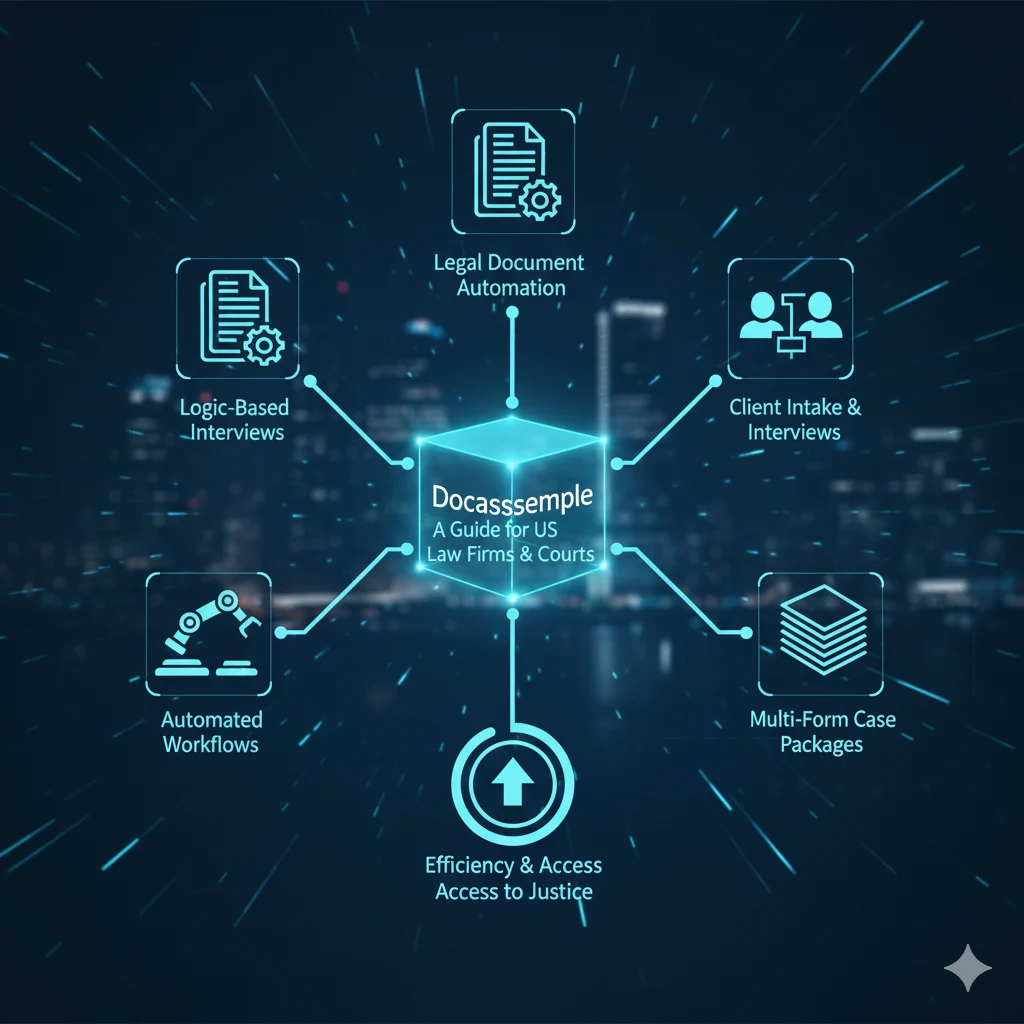
Docassemble is a free, open-source expert system, built on Python, YAML and Markdown, that runs guided online interviews and turns the answers into finished PDF, DOCX or RTF documents. Law firms use it for client intake and document assembly; courts and legal aid organisations use it for self-help forms in the US, UK and Australia. Legal professionals in the United States are under constant pressure to do more with less—serve more clients, reduce turnaround time, maintain compliance, and still deliver accurate, high-quality legal documents. Traditional document drafting methods, spreadsheets, and static templates are no longer enough. This is where Docassemble comes in. In this guide, we’ll explain what Docassemble is, how it works, and why Docassemble for law firms and courts is becoming one of the most trusted approaches to modern legal document automation software in the US. What is Docassemble and what does it do? Docassemble is an open-source document automation platform designed to create interactive, logic-driven legal interviews that generate documents automatically in formats such as PDF, DOCX, and RTF. Instead of filling out static forms or manually editing templates, users answer guided questions. Based on those answers, Docassemble applies legal logic and generates court-ready documents instantly. At its core, Docassemble combines: This makes it ideal for document automation for law firms, courts, and legal aid organizations. Why do law firms and courts use Docassemble? 1. Automation Without Losing Legal Control Unlike rigid proprietary tools, Docassemble allows attorneys to encode their own legal logic. You control how interviews flow, how documents are assembled, and how edge cases are handled. This flexibility is why Docassemble for law firms is popular among firms that handle: 2. Built for Complex Legal Workflows US legal processes are rarely simple. Docassemble handles: This makes it a powerful alternative to traditional law firm automation tools that struggle with complexity. 3. Open-Source Transparency Docassemble is fully open source. That means: For courts and government-funded legal organizations, this transparency is critical. Why does open source matter for legal document automation? Open-source software makes its source code available, so anyone can see how it works, adapt it to their own needs, and share improvements. For document automation, that openness brings several practical benefits. Transparency and trust: Because the inner workings are visible, users can see how their documents are handled and verify data security, without worrying about hidden algorithms or bias. Collaborative innovation: A community of developers keeps improving the platform through bug fixes, new features, and plugins, so users benefit from shared expertise as needs and technology evolve. Customization and flexibility: With access to the code, firms can adapt Docassemble to their own workflows and connect it to existing systems instead of settling for a one-size-fits-all tool. Cost-effectiveness: There are no hefty licensing fees and no vendor lock-in, and you can self-host or use available cloud options, paying only for the resources you need. How does Docassemble work? A Docassemble system typically includes: This workflow replaces hours of manual drafting with minutes of guided automation—unlocking true automated legal document generation. What does Docassemble interview code look like? Here’s a simplified example showing how Docassemble uses logic to control document flow: What are the main Docassemble use cases for law firms and courts? Courts and legal aid organisations are among the biggest Docassemble users, with guided self-help interviews for protective orders, eviction answers and fee waivers. See our full guide to Docassemble for courts and legal aid. Law Firms Courts Legal Aid Organizations All of these rely on legal document automation software that can scale securely. Is Docassemble secure and compliant for legal data? Docassemble deployments can be designed to meet strict US legal requirements, including: When implemented correctly, Docassemble meets or exceeds the security posture of many proprietary law firm automation tools. “Docassemble doesn’t replace lawyers—it removes repetitive work so lawyers can focus on judgment, strategy, and client advocacy.” What are the common Docassemble challenges and how do you solve them? Off-the-shelf setups don’t fit your workflow Solution: Custom interview and logic design Teams struggle with YAML/Python Solution: Work with experienced Docassemble developers Integrations feel complex Solution: Design APIs and data flows upfront With the right implementation partner, Docassemble becomes a long-term asset—not a technical burden. Is Docassemble right for your organisation? Docassemble for law firms is not just another legal tech tool—it’s a platform for building custom, logic-driven legal systems that scale with your practice. For US law firms and courts seeking transparency, flexibility, and long-term control, Docassemble offers a future-proof foundation for document automation for law firms and automated legal document generation. With the right strategy and implementation, Docassemble can transform how legal services are delivered—efficiently, securely, and at scale. FAQ 1. Is Docassemble suitable for small and mid-sized law firms?  Yes. Docassemble works well for small and mid-sized firms because it automates repetitive drafting without forcing you into rigid templates. Firms can start with a few high-impact workflows—like intake or pleadings—and expand over time without expensive licensing fees. 2. Do lawyers need to know how to code to use Docassemble? Not necessarily. End users (lawyers, staff, clients) interact with simple question-and-answer interviews. However, building and maintaining advanced workflows does require technical expertise, which is why many firms work with Docassemble specialists for setup and customization. 3. How is Docassemble different from standard form builders? Unlike basic form builders, Docassemble supports legal logic, conditional flows, multi-document case packets, and jurisdiction-specific rules. This makes it ideal for real-world legal work, not just simple forms or questionnaires. 4. Is Docassemble secure enough for courts and legal aid organizations?  Yes, when implemented correctly. Docassemble can be deployed with strong security controls like encryption, role-based access, audit logs, and secure hosting. Many courts and legal aid organizations in the US already rely on Docassemble for sensitive legal workflows. 5. What types of legal documents are best suited for Docassemble?  Docassemble is ideal for documents that follow structured logic—such as pleadings, motions, immigration forms, family law packets, estate planning documents, and court self-help forms. Any process that repeats

What Is Docassemble? A Guide for US Law Firms & Courts Read More »

en_USEnglish
Scroll to Top