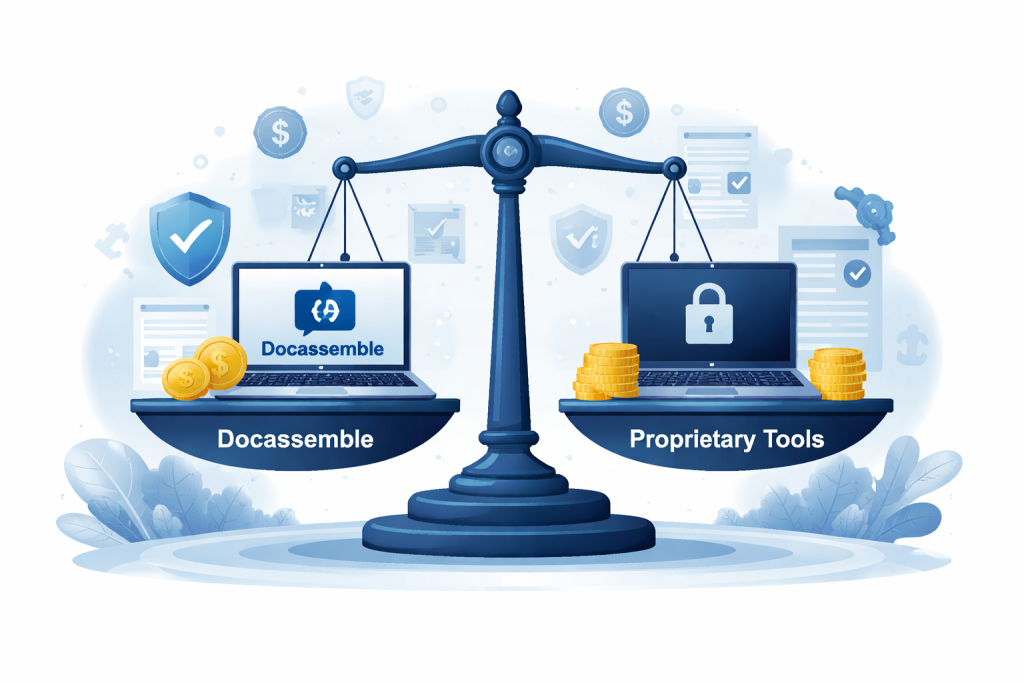
Docassemble vs Proprietary Legal Automation Tools: Cost, Control, and Compliance
Legal teams across the US are under growing pressure to do more with less. Courts demand accuracy. Clients expect speed. Attorneys want tools that actually fit the way law is practiced—not generic software that forces workarounds. That’s why legal automation has moved from “nice to have” to essential. But when firms begin evaluating options, one critical question emerges: Should we use an open-source platform like Docassemble, or a proprietary legal automation tool? This article breaks down the real differences—cost, control, and compliance—to help you decide whether docassemble legal automation or proprietary software is the right long-term choice. Understanding the Two Approaches Before comparing, it’s important to clarify what we’re really talking about. Proprietary Legal Automation Tools These are closed-source platforms sold under licenses or subscriptions. They typically offer: They fall under the broader category of legal automation software sold as a product. Docassemble (Open Source) Docassemble is not a product—it’s a platform.It enables teams to build custom legal automation systems using Python, YAML, and logic-driven interviews. This distinction is critical when evaluating legal document automation software that needs to scale, comply, and adapt. Cost: License Fees vs Long-Term Ownership The Hidden Cost of Proprietary Tools At first glance, proprietary tools often seem cheaper: But over time, costs accumulate: For firms generating high document volumes, automated legal document generation becomes increasingly expensive. How Docassemble Changes the Cost Equation Docassemble itself is free and open source. The real investment is in: The result? Over a 3–5 year horizon, docassemble legal automation often delivers a significantly lower total cost of ownership. Cost: License Fees vs Long-Term Ownership The Hidden Cost of Proprietary Tools At first glance, proprietary tools often seem cheaper: But over time, costs accumulate: For firms generating high document volumes, automated legal document generation becomes increasingly expensive. How Docassemble Changes the Cost Equation Docassemble itself is free and open source. The real investment is in: The result? Over a 3–5 year horizon, docassemble legal automation often delivers a significantly lower total cost of ownership. Compliance: Vendor Promises vs Verifiable Control Compliance Challenges with Proprietary Platforms Proprietary vendors often claim compliance, but: For courts, legal aid, and regulated practices, this is risky. Docassemble and Compliance-First Design With Docassemble, you can: For organizations prioritizing compliance, docassemble legal automation offers verifiable control, not just assurances. Compliance: Vendor Promises vs Verifiable Control Compliance Challenges with Proprietary Platforms Proprietary vendors often claim compliance, but: For courts, legal aid, and regulated practices, this is risky. Docassemble and Compliance-First Design With Docassemble, you can: For organizations prioritizing compliance, docassemble legal automation offers verifiable control, not just assurances. Customization: Configuration vs Engineering Configuration Has Limits Most proprietary legal automation software is configurable—but only within predefined boundaries. Once you need: You hit a wall. Engineering Enables Strategy Docassemble is built for: This makes it ideal for: When Proprietary Tools Make Sense To be fair, proprietary tools do have a place. They work well when: For small firms or short-term needs, they can be sufficient document assembly tools for lawyers. When Docassemble Is the Better Choice Docassemble shines when: In these cases, docassemble legal automation is not just a tool—it’s infrastructure. Final Thoughts Choosing between Docassemble and proprietary legal automation tools isn’t just a software decision—it’s a strategic one. If you value: Then docassemble legal automation offers a level of flexibility and ownership that proprietary platforms simply can’t match. For firms and organizations serious about the future of legal work, that difference matters. FAQ 1. Is Docassemble really more cost-effective than proprietary legal automation tools? In most long-term scenarios, yes. Proprietary tools often charge per user, per document, or per matter, which adds up as usage grows. Docassemble is open source, so firms invest upfront in development but avoid ongoing license fees—making it more predictable and cost-effective over time. 2. Do proprietary tools offer less control than Docassemble? Generally, yes. Proprietary platforms limit how much you can customize logic, workflows, and integrations. Docassemble gives full control over how documents are generated, how users interact with the system, and how legal rules are applied—without being restricted by a vendor’s roadmap. 3. Which option is better for compliance and data security? Docassemble often offers stronger compliance control because you choose where data is hosted, how long it’s retained, and how audit trails are maintained. With proprietary tools, firms must rely on vendor assurances and shared infrastructure, which can be limiting for regulated or court-facing work. 4. When does a proprietary legal automation tool make sense? Proprietary tools work well for smaller firms or simple use cases where documents are straightforward and automation needs are limited. If speed of setup matters more than flexibility or long-term ownership, a proprietary solution may be sufficient. 5. How do firms decide between Docassemble and proprietary automation? The decision usually comes down to strategy. If automation is core to your legal operations and must scale, integrate, and remain compliant over time, Docassemble is often the better choice. If automation is a short-term or tactical need, proprietary tools may be easier to start with
Docassemble vs Proprietary Legal Automation Tools: Cost, Control, and Compliance Read More »



 English